68kMLA Classic Interface
This is a version of the 68kMLA forums for viewing on your favorite old mac. Visitors on modern platforms may prefer the main site.
| Click here to select a new forum. | |
| Apple 14" Color Hi res Display M1297 | |
| Posted by: reallyrandy on 2017-08-08 19:58:20 I have this color monitor thats getting a lot of ghosting (for lack of a better term). Meaning the screen isn't black around the image area. Is there an adjustment for this sort of thing? or is it just old? Here's some pics: 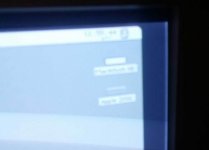 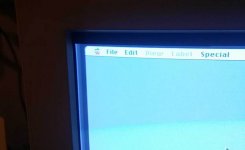 | |
| Posted by: reallyrandy on 2017-08-09 14:57:34 I've been looking for spec differences between the M0401 Display and the M1297. I can't really find anything. Is there even a difference? | |
| Posted by: omidimo on 2017-08-09 15:45:37 The external specs are the same, but the components maybe have been changed as one came out with the Macintosh II line and the other is from the IIsi/LC days. Take a look at the service manual for internal adjustments: http://tim.id.au/laptops/apple/displays/applecolor_highres_rgb_mon.pdf | |
| Posted by: Cory5412 on 2017-08-09 19:57:26 Lowering the brightness of the display should reduce this effect. It looks like you've got the brightness turned all the way up right now, which has always led to these displays (in my experience: almost all older CRTs) looking washed out and gray like this on the edges. | |
| Posted by: reallyrandy on 2017-08-09 21:08:53 I just turned it up for the picture. Even with the bright all the way down it does that. | |
| Posted by: techknight on 2017-08-11 16:14:44 Then adjust the contrast. One or the other control does it. Next thing is the Screen adjustment which is the G2 cutoff on the flyback transformer itself. | |
| Posted by: reallyrandy on 2017-08-11 20:37:15 It has to be an internal adjustment I'm sure. I've messed with both brightness and contrast | |
| Posted by: techknight on 2017-08-13 12:59:18 If the brightness and contrast has no effect on the Raster, then your missing the Cutoff voltage to the CRT. You can compensate by adjusting the G2 screen control on the rear of the flyback transformer (inside), but it may make the picture too dark without turning the brightness back up bringing back the washed out raster. You will have to play with it. | |
| Posted by: reallyrandy on 2017-09-05 08:01:34 Took the back off the monitor and messed with the geometry controls only to realize I didn't have to take the back case off. The top knob took care of the ghosting problem, it looks to be some sort of voltage control. I turned it down and the monitor's blacks got blacker. It turned it up and the monitor went white and then turned off as if a fuse had blown. I turned it back on after turning the knob down and it came back on. Anyway, the display looks great now. Blacker blacks and more intense color with edge to edge picture, yay!  | |
| Posted by: Scott Baret on 2017-10-01 18:25:18 This is very common on old Trinitrons from my experience. The internal control will almost always handle this problem. | |
| 1 |