68kMLA Classic Interface
This is a version of the 68kMLA forums for viewing on your favorite old mac. Visitors on modern platforms may prefer the main site.
| Click here to select a new forum. | |
| Duo dock plus/ll | |
| Posted by: Challenger 1983 on 2017-07-12 13:56:38 Today I received a package in the mail It was the duo dock I had snatched off of eBay for 40$ Unfortunately the power supply is making a ticking noise and the unit won't turn on Is this a common issue with duo docks If is there any thing I can do to fix it 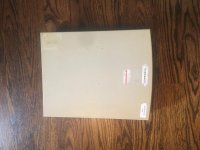 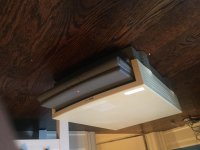 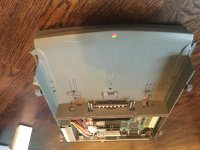 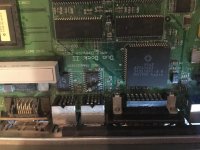 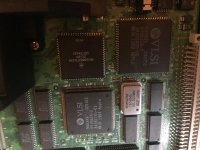 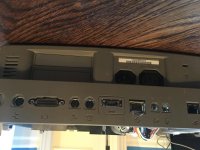 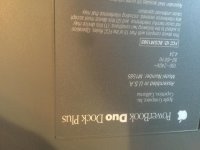 | |
| Posted by: JRL on 2017-07-12 14:28:00 That means the power supply needs to be recapped. It's a fairly simple operation (you only need to replace one capacitor) but getting the PSU open is a pain in the ass, you need a drill bit to drill out a few small rivets. http://lowendmac.com/2016/the-duo-dock-tick-of-death/ And yeah it's a super common issue. | |
Posted by: Challenger 1983 on 2017-07-12 14:53:21That means the power supply needs to be recapped. It's a fairly simple operation (you only need to replace one capacitor) but getting the PSU open is a pain in the ass, you need a drill bit to drill out a few small rivets.Oh thank goodness I thought may have been logic board failure | |
| Posted by: Trash80toHP_Mini on 2017-07-12 16:46:45 Been there, done that back when they were current tech. Very easy, just be sure to blow all the chips/spirals of metal out of the case before closing it up. Use aluminum pop rivets to replace Apple's steel rivets you'll be drilling out when you button it back up. I'd call it a DuoDock Plus+2. Looks like someone replaced the Plus logic board with one from a Dock II which replaces everything deleted for Plus model that you you could wish for with your 210 in the VCR. [🙂] ]'> | |
Posted by: Challenger 1983 on 2017-07-12 18:29:19Been there, done that back when they were current tech. Very easy, just be sure to blow all the chips/spirals of metal out of the case before closing it up. Use aluminum pop rivets to replace Apple's steel rivets you'll be drilling out when you button it back up.yes except its still got the AAUI port | |
| Posted by: Trash80toHP_Mini on 2017-07-12 20:37:39 Dock II and Dock Plus both had AAUI. My original Dock has a removable panel on the the backplane and a blank space on the PCB where an AAUI port ought to have been located. Dunno if it's a late production Dock that came off the line in a Dock II case with a plug in its backside or if the first DuoDocks had provision for the missing component.molded into the case from day one. What's nice about your hybrid is the soldered FPU and cache compatible with your Duo 210 that wasn't to be expected of an unmodified DuoDock Plus. My DuoDock (I) board has an empty socket for the optional FPU. I'll have to look through the Duo project boxen, I've got several Dock boards scattered about for various nefarious purposes. The only one that's ready at hand is a spare Dock (I) board. | |
| Posted by: Challenger 1983 on 2017-07-15 19:35:41 It works!, I can't take any photos right now but it's have lots later | |
| Posted by: Trash80toHP_Mini on 2017-07-15 21:15:32 Good news! About those pics, maybe you could hold your phone upside down when you take them? It's annoying to have them post upside down. | |
Posted by: Challenger 1983 on 2017-07-16 12:00:47Good news!Yeah sorry about that | |
| Posted by: Challenger 1983 on 2017-07-16 12:02:10 Also my duo has some dead pixels is there any of fixing that | |
| Posted by: Challenger 1983 on 2017-07-18 15:44:10 Yeah This was my first time recapping a machine so I'm glad it worked on the first try Also even if I take the photo upside down it doesn't change orientation when I post it 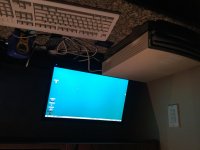 | |
| 1 |