68kMLA Classic Interface
This is a version of the 68kMLA forums for viewing on your favorite old mac. Visitors on modern platforms may prefer the main site.
| Click here to select a new forum. | |
| Dynamac EL manual? | |
| Posted by: james_w on 2017-02-05 08:13:11 I've started to disassemble my Dynamac EL (which uses a complete Mac Plus logicboard inside) to restore its PSU, which is currently dead. Whilst I'm working on it I've been wondering if anyone has a clue if there are any user or service manuals in existence? I'd love to get hold of copies or at least scans/photos of them if anyone does! | |
| Posted by: haplain on 2017-02-05 14:18:52 I have one in the box, let me see if I have the manual for it. | |
Posted by: james_w on 2017-02-05 15:47:50I have one in the box, let me see if I have the manual for it.Thanks very much Hap! (and ooh nice - would be awesome to see the box / contents too 😀 ) | |
| Posted by: haplain on 2017-02-07 16:48:58 Here you go. 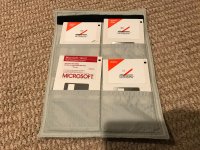 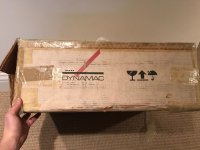  | |
| Posted by: james_w on 2017-02-08 01:33:59 Great! Are you up for scanning / photographing the pages of the manual and sharing? It would also be brilliant if you wouldn't mind imaging the disks and sharing them too? - my Dynamac came with nothing besides its mouse. | |
| Posted by: haplain on 2017-02-08 11:56:42 I tried to image the disks but they can't be read 🙁 I will see about scanning the manual. If I can get it apart I'd be happy to but taking a pic of each page would be intense. | |
| Posted by: james_w on 2017-02-25 11:06:57 Boo that's a shame. I've managed to get my Dynamac working again, but I'm pretty sure it needs special drivers to get the screen working in 640 x 400... I'll do some more searching but this is some rare software! | |
| Posted by: james_w on 2017-02-26 13:22:35 Just wanted to leave a few photos here of the Dynamac fully working. I'm still very confused as to how to get the screen working in the claimed resolution of 640 x 400 - I can only get 512 x 342. I've done a ROM dump and it seems identical to a Mac Plus ROM, so my guess is that there's some custom software driver. If anyone can help with that I'd be very grateful! 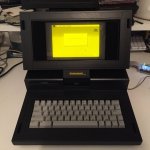 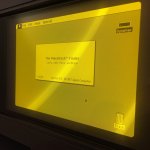 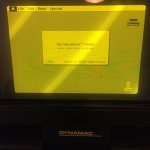 | |
| Posted by: haplain on 2017-03-01 11:06:54 I will mess around with mine tomorrow. I can't recall if I've been able to get it up to the full resolution. I will try to create some floppies for you if it does and send them to you. | |
Posted by: james_w on 2017-03-01 12:04:02I will mess around with mine tomorrow. I can't recall if I've been able to get it up to the full resolution. I will try to create some floppies for you if it does and send them to you.That would be so great - thank you 🙂 | |
| Posted by: olePigeon on 2017-03-03 13:59:16 I bet there's a Dynamac Control Panel or Extension that enables that additional resolution. | |
| Posted by: haplain on 2017-03-03 14:12:21 That's what I'm hoping I have and can duplicate... | |
| Posted by: james_w on 2017-03-04 16:15:18 Oh! I just came across this photo of your Dynamac, Haplain... http://www.applefool.com/se30/images/img/ua47u0w1.png From that picture it sure looks like yours is running in the full 640 x 400 resolution! 🙂 Which is great news - as long as the hard disk hasn't gone the same way as your floppy disks, and the [presumed] software can be recovered from it. The hard disk in my one does seem to stick often - I have to open it up and carefully turn the platters then it runs again for a day or so :-/ Perhaps needs some grease somewhere... (also note the "Hard Disk Init" in the "Utilities Folder" - it has a Dynamac icon so that bodes well that you have other stuff on there) | |
| Posted by: haplain on 2017-03-04 16:20:34 Last time I messed with it, which was about 3 months ago, she was all good. I will mess with it tonight and try to make a copy of the control panel stuff. More to come. PM me as well so I can get your address and send it to you. | |
| Posted by: james_w on 2017-03-04 16:25:13 Great and thanks - will do! | |
| Posted by: james_w on 2017-03-05 07:11:39 Huge kudos to Hap for sorting me out with the Dynamac software - now happily running in its native resolution 😀 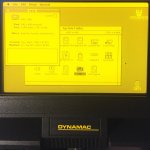 | |
| Posted by: Johnnya101 on 2017-03-05 07:28:53 Cool! | |
| Posted by: haplain on 2017-03-05 07:29:31 Perfect. Glad you got it working. | |
| Posted by: Compgeke on 2017-03-05 15:37:26 For anyone finding this thread in the future, here's a link to the software for the Dynamacs, courtesy of haplan. Link: http://archive.compgeke.com/Drivers/Mac/Clone%20Stuff/Dynamac/ | |
| 1 > |