68kMLA Classic Interface
This is a version of the 68kMLA forums for viewing on your favorite old mac. Visitors on modern platforms may prefer the main site.
| Click here to select a new forum. | |
| Connect internal scsi drives externally? | |
| Posted by: squoril on 2026-03-16 16:34:56 So i found this page where it looks like he was tapping into the internal scsi bus (which all goes to the DB-25 as well?) And this page which has a schematic of the IDC-50 to DB-25 internal wiring Is their any reason i cant just wire up an IDC-50 cable into a db-25 plug and run the hard drive out of my classic II into the serial port of my mac plus? (with external power supply to the hard drive applied before mac power on) | |
| Posted by: Realitystorm on 2026-03-16 18:45:15 I assume you mean the external SCSI connector of you Plus? It might work, you might need to check that the drive is terminated properly, either jumpers or resistor packs | |
| Posted by: Forrest on 2026-03-16 21:53:05 FYI there are SCSI 50 pin IDC to 25 pin adapters available https://shop.rabbitholecomputing.com/products/50pin-idc-female-to-scsi-1-db25-adapter | |
Posted by: squoril on 2026-03-18 17:11:58FYI there are SCSI 50 pin IDC to 25 pin adapters available https://shop.rabbitholecomputing.com/products/50pin-idc-female-to-scsi-1-db25-adapterthat's what i was going to make electrically basically but its OOS, id need a cable still so ill go ahead with my parts order and pin up an IDC-50 cable into a DB25P and do some reading on termination | |
| Posted by: Forrest on 2026-03-18 19:33:24 Ok. | |
| Posted by: squoril on 2026-03-29 11:32:13 Looks like the internal HDD out of the Classic II is a Quantum ProDrive LPS: Probable Jumper Options It has optional socketed termination resistors which are present so i dont think ill have to worry about any termination just straight wire to the DB25 | |
| Posted by: CuriosTiger on 2026-03-29 11:53:01 This basically works fine as long as you get three things right: 1) SCSI ID. Apple used SCSI ID 0 for internal drives (no jumper needed). If you try to connect a second drive to a Mac that already has an internal drive using this method, you'll have a SCSI ID conflict. Typically resolved with three jumpers in one of these configurations: SCSI ID 1: _ _ J SCSI ID 2: _ J _ SCSI ID 3: _ J J (beware, Apple internal CD-ROM drives typically default to this) SCSI ID 4: J _ _ SCSI ID 5: J _ J SCSI ID 6: J J _ Don't jumper all three. That equates to SCSI ID 7, which is the Mac's SCSI controller. That will render the SCSI bus temporarily inoperable. Also, the pin header location varies by hard drive. Sometimes, there's a helpful silkscreen label on the PCB, sometimes not. 2) Termination. You can sometimes get away with termination errors, especially when you only have one device on the chain. But internal drives very often had terminator blocks on the drive's logic board. Typically socketed resistor packs right next to the drive's SCSI connector. Use these or an external terminator, but not both. If you use neither, it might work, it might not. Note that on some newer drives, termination is controlled via a simple jumper instead of removable resistor packs. 3) Some aftermarket ribbon cables lack the orientation notch. Be very, very careful not to plug the SCSI cable in upside down. Most other mistakes are correctable; this one leads to fried chips and a bad day. | |
| Posted by: squoril on 2026-03-29 17:46:28 It worked, drive had LB terminator packs. Heads were fused to the platter so i had to open it up and break it free. If i powered it on before i got happy mac from the floppy drive it would try and boot off the hard drive and give wierd screens and then flupflupflup from analog board (not surprised this is Mac Classic II drive and im attaching it to a plus) Waiting till i had happy mac before powering up the drive worked great. | |
Posted by: squoril on 2026-03-29 17:51:04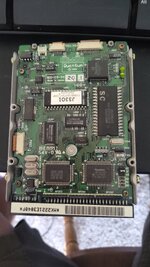 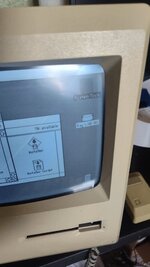 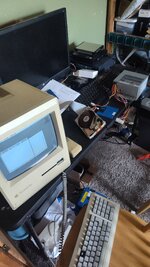 | |
| 1 |