68kMLA Classic Interface
This is a version of the 68kMLA forums for viewing on your favorite old mac. Visitors on modern platforms may prefer the main site.
| Click here to select a new forum. | |
| Rotation of Full Page Display output for use with conventional LCDs | |
| Posted by: Trash80toHP_Mini on 2025-07-03 09:51:06 Figuring a dedicated thread here might be the way to go. Hoping you Raspberry Pi boffins will join into the fray. 😉 Subject's a spinoff from attempts at cloning Radius FPD Cards, but useful in supporting existing cards for which there is no acceptable method of displaying the output at present. Scanline output of the Portrait card is at right angles to conventional displays, hence the need for rotation of the output. My noggin defaults to spreadsheet mode, which translates well into coding for the Pi I think? So diagram illustrates row and column cells being resorted. Rotation of the image appears to be the most serious obstacle, but my concept for column stripping of the frame buffer might be as simple as is gets? The first approach Nick Gillard looked at for his Pico-Mac-Nano would appear to be the same as the diagram above? He abandoned it and went with a compromised approach using a portion of his native 480x640 "Portrait" format LCD which did an end run around the rotation problem overtaxing the Nano and made for a much smaller Mac replica. 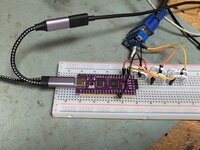 Arduino Nano on the clones could take care of rotation, but switching platform kills two birds with one stone, no? 1) Pi Zero/Zero has Mini HDMI output right there on board 2) Mini HDMI is perfect for a custom panel display and adaptable to DVI-D for using 19" range, obsolescent, pre-HDMI Displays with DVI-D. 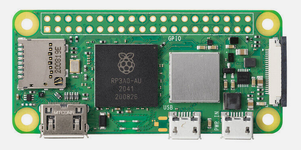 Zero 2 W is overkill, but for less than $20 on Ali, socketing one onto a Full Page Display clone is a no-brainer?***** Question: where might be the best place to capture the frame buffer? Readout from VRAM buffer or the Zero itself acting as/replcing VRAM on the board? If not enough GPIO on the Zero (unlikely) to strip the columnar data from the captured Frame Buffer in VRAM it could be captured from the interface cable pins. That would be the way to go for the OEM boards, so tradeoffs? But I imagine there's a way to channel the FPD's VRAM buffer through the Zero's GPIO lines? In that case it might replace the VRAM frame buffer entirely, rotate image and spit it directly our its Mini HDMI port? Scaling would be the next bugaboo, if and when. But that's for another day/topic, 1024x768 panel @jmacz suggested arrived today! 😀 ***** on a tangential note the Pi Zero 2W would have access to the full 68000 bus, so might have other uses not limited by the SCSI bottleneck? | |
| Posted by: zigzagjoe on 2025-07-03 10:23:28 That card appears to be completely discrete or programmable logic. It would be simpler to just reverse engineer and modify the counter logic responsible rather than try to adapt it. If a general purpose card outputting a more usable resolution is the goal. The pixel clock may be too high for a RGB2HDMI or similar. | |
| Posted by: Trash80toHP_Mini on 2025-07-03 15:05:44 AHA! Now we've climbed into the stratosphere above my head! 😉 At first I was hoping a takeoff on the TTL version of VGAtoHDMI might be hooked up to the cable headers on my FPD/SE. 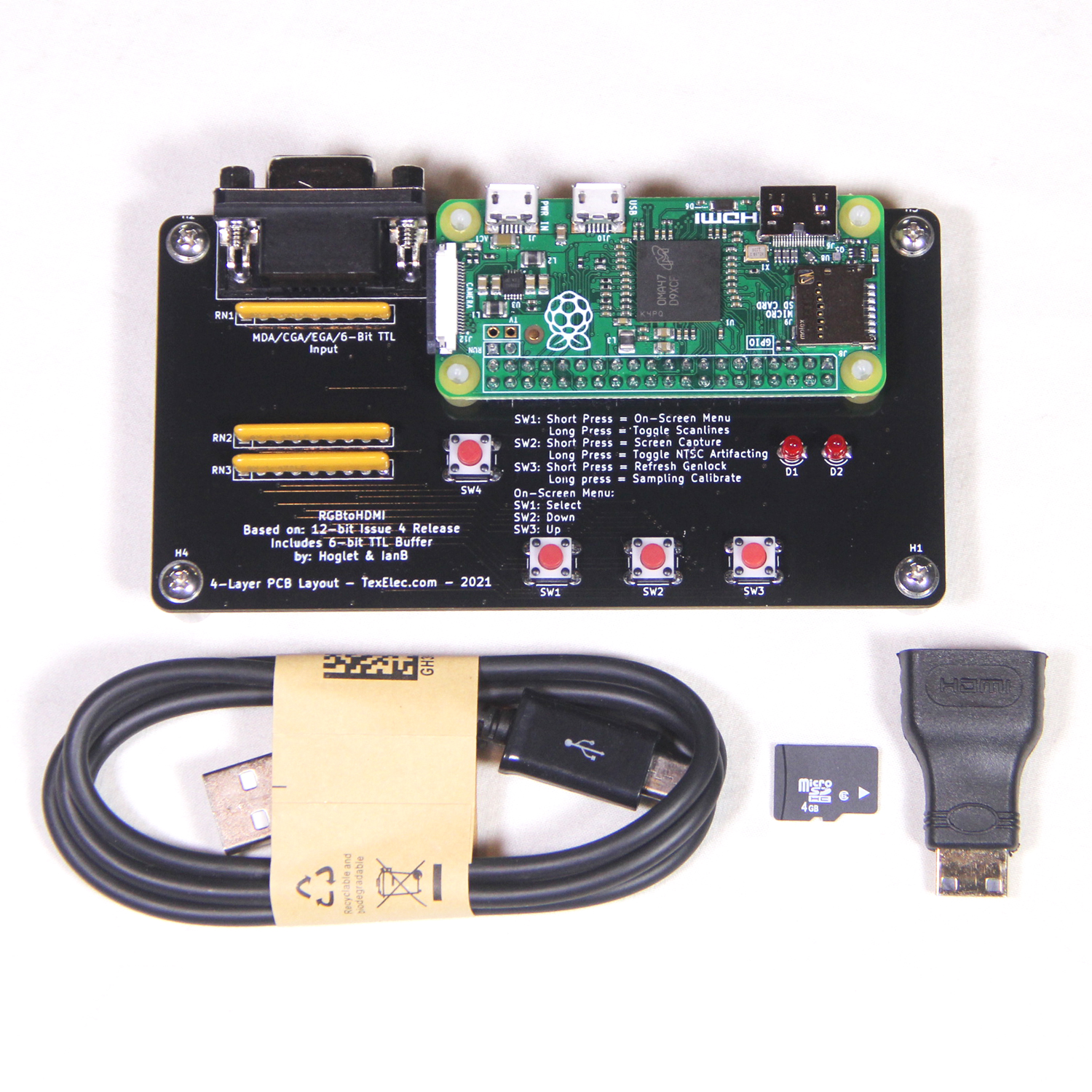
RGBtoHDMI - 6-bit TTL Edition - TexElecThe RGBtoHDMI is an excellent open project created by Hoglet67 (David Banks) and IanB (Ian Bradbury). The purpose of the RGBtoHDMI is to convert many different TTL and analog video signals from vintage systems to a modern HDMI or DVI compatible output. It uses a Raspberry Pi Zero along with a...
 texelec.com
Thinking was that a 1bit batch of Portrait pixels wouldn't overtax something on the order these color solutions? Pixel clocks are higher than VGA which poses a problem. However if we can spit that higher frequency "HDMI" output thru a DVI-D converter on the likes of my Dell UltraSyncs we might be in business? Those things seem to sync up to anything thrown at them. The need for scaling rears its ugly head, but it could be a start? Reworking to 600x800 on a Plus/SE card would be great, but was looking for a way to use my Radius FPD/SE card with a standalone display. And cloning the Radius Card seems like a fun project. With the Extron Scaler I can set it up to run in the lower corner of my 42" HDMI TV right next to the SE, but I think we ought to be able to do better? edit: not having the Plus Card, but the SE FPD Card in my grubby little paws, that's been my focus. 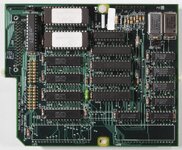 | |
Posted by: jmacz on 2025-07-03 15:49:301024x768 panel @jmacz suggested arrived today! 😀 I don’t remember suggesting a particular 1024x768 panel, only just suggesting if you could figure out the rotation, the portrait display could fit nicely within 768x1024 with some crop bars (which could be hidden behind a bezel). The panels I had found (but not suggested) were ones that might support built in image rotation, but those were too small (less than 10”) and would have larger crop bars vertically since they were 800x1280. | |
| Posted by: Trash80toHP_Mini on 2025-07-03 20:51:17 Yep, what you said: I was thinking 1024x768 which would fit the 640x870 resolution well at 1:1 when rotated, with crop bars (77 pixels on each side and 64 pixels top and bottom) without scaling and cover up the crop bars with a bezel. Worded it badly, didn't mean to say you'd suggested a particular 1024x768 panel, meant your suggested that resolution as an approach to the problem.. Snagged a 15" panel for $17 shipped, looks good. For starters I want to throw a graphic with black background at 1024x768 with a white panel at 640x870 centered within to get a look at size and cut a matte to approximate a faux TPD bezel will look it sitting next to my SE. @zigzagjoe the RGBtoHDMI screenshot gallery has a beautiful rendition of the Mac's 512x384 screen, my hope would be that handling a tad over 2.8 times as many pixels might be within reach? | |
Posted by: jmacz on 2025-07-03 21:12:13Worded it badly, didn't mean to say you'd suggested a particular 1024x768 panel, meant your suggested that resolution as an approach to the problem.. 👍 | |
Posted by: Trash80toHP_Mini on 2025-07-10 09:40:49That card appears to be completely discrete or programmable logic. It would be simpler to just reverse engineer and modify the counter logic responsible rather than try to adapt it.Been mulling this over whilst searching connectors to replace the OEM interconnect on Radius' Accelerators and Magic Bus Card: 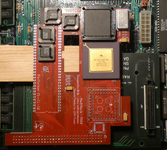 Original notion was to to append the Magic Bus PDS extension to the Performer, but you've put a bug in my ear that might do an end run? Once the "Classic Socket" is excised, there's a whole lot of PCB real estate available as in the overlay above. Board can be can be further extended across the logic board to flesh out Apple's SE expansion card spec. In that case I'm pretty sure I can shoehorn both FPD and Performer components onto a single card. Primary benefit to Performer/FPD integration would be elimination of the right angle board interconnect, replacing it with with the cable connection. If we were to "reverse engineer and modify the counter logic" as you described, might it be possible to do what's needed in FPGA? | |
| Posted by: olePigeon on 2025-07-15 19:52:44 To detect the swivel part, wouldn't a mercury switch be useful? Presumably they still sell them. Otherwise you can steal one off an old thermostat. | |
| Posted by: Trash80toHP_Mini on 2025-07-15 23:28:12 Problem's not with pivot detection, FPD doesn't pivot. Its scan lines are 90 degrees off from LCD scan lines so it's letterboxed badly on something like a 1280x1024 Panel. A single Full Page in the middle of a Two Page Display. Played with this a bit today, plenty of board real estate available to put Performer/FPD within the SE Card Spec. 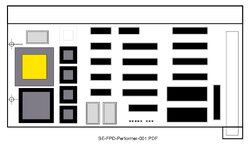 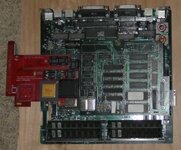 @zigzagjoe since VGAtoHDMI works just fine for FPD resolution, the only thing left is the rotation problem. | |
| Posted by: Trash80toHP_Mini on 2026-06-08 15:52:10 Got a new take on image rotation and output, FPGA wedged into the VRAM interface: 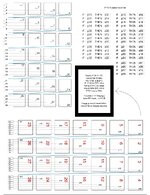 Figuring this needs to be done in FPGA. SBC can't handle it, too much delay incurred: - two Page Buffers capture alternating frames via VRAM wedge - while one captures Page Buffer, the other writes captured Buffer to HDMI module - pixel mapping operation done in Gate Logic, no CPU involved Delay should be imperceptible, one single screen redraw cycle? Dunno, everything else remains a 1:1 cloning project. Image Rotation was the dead ending roadblock. Found a way to sneak in under that one and wind up yet higher than my pay grade . . . in VeriLog territory . . . sigh. So it goes . . . | |
| Posted by: Trash80toHP_Mini on 2026-06-08 16:49:23 Forgot the new take on SE/FPD/Performer ComboCard, shows HDMI Wedge: 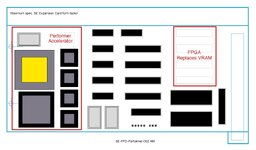 | |
Posted by: Trash80toHP_Mini on 2026-06-09 09:23:37If a general purpose card outputting a more usable resolution is the goal. The pixel clock may be too high for a RGB2HDMI or similar.Pixel clock is 75Hz if I'm reading things correctly, would that be too high for an SBC solution? The IF/THEN remap of pixel location approach takes care of image rotation, the worst of the problem I think? If Pi Zero W can capture the FPD's frame buffer data right off the VRAM pins as they're loaded, using it might be a viable approach? - desolder VRAM - install wire wrap sockets - VRAM would be re-installed in the sockets - Wire Wrap Socket's long pins would be handy interface for logic probe - probe to determine pixel map as it's loaded into VRAM When that's achieved, VRAM is removed and a Pi carrier board would replace it for further experimentation. Alternately, might the Pi Zero W on a carrier board be inserted directly into the VRAM sockets and be used as the logic probe itself? Been avoiding programming like the plague after taking adult ed course in Basic back when Trash80's had a pair of 8" Floppy drives. Might as well skip intermediary steps, taking it up again after 40+ years starting with Verilog. 🤣 edit: just realized that if the Pi carrier board approach works out, spitting HDMI out the back end that's enough for now. I can skip reverse engineering the FPD and just install that kluge on some available boards. | |
| Posted by: Trash80toHP_Mini on 2026-06-09 16:47:59 Great news! @AlexTheCat123 replied saying the project (FPGA implementation) is 100% viable! So looks like I'll need to do some programming for the Raspberry Pi Platform (or entice a wizard in such magic into the HackLabNC lair😉) to get it up and running as a Logic Analyzer. Need to determine what pixel is loaded where and when into VRAM on the FPD card. At that point it's all fun and games gettig Pi Zero W to do the work of remapping, if slowly, and putting the remapped pixels out on its HDMI port, given its delay is too long. Then the Verilog games begin . . . So it goes . . . | |
| Posted by: Trash80toHP_Mini on 2026-06-09 17:53:34 Couldn't resist setting up the test rig, meant for SE/30 Card playtime, but works for SE too! 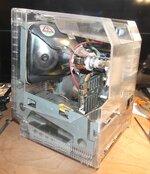 New SE Stuffer offer accepted, tested good with all the trimmings! 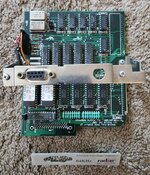 We'll see what happens . . . eventually . . . when I get it all set up and running with the Extron Scaler. | |
Posted by: Trash80toHP_Mini on 2026-06-09 23:49:51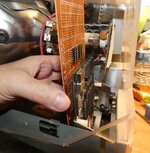 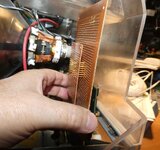 Large copper clad = FPD Card Small copper clad = Carrier Board | |
| 1 |