68kMLA Classic Interface
This is a version of the 68kMLA forums for viewing on your favorite old mac. Visitors on modern platforms may prefer the main site.
| Click here to select a new forum. | |
| Macintosh Portable 5126 issues… | |
| Posted by: twconstantine on 2025-04-28 19:26:10 I got my first portable, 5126 backlit. I took all the advice here and didn’t try and boot anything. I recapped the board, got a new battery that I’ve seen others use, 6.5V lantern battery and used the 3d printed shell and connected copper feet. Got a new 9v battery as well and the system booted to a Mac OS can’t run 7.01 due to ram. I forgot the ram card. So I powered down, plugged in the ram card and it stopped chiming and booting. Pulled the ram card back out. Still no chime or boot. From what I can see it’s a power issue in the error, but it’s weird since it booted fine once. I am not sure about the power brick, I’ve been trying to use only the battery which still shows a full charge. I know I need to recap the power brick but I have no idea how to open it up yet. Thoughts?  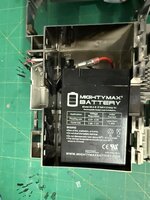 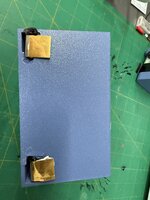 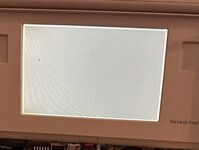 | |
| Posted by: alexGS on 2025-04-29 00:01:20 Have you tried holding the two buttons on the left side? Should reset the power manager. The process of ‘powering down’ is an important one before installing the RAM card. I hope you had the battery out, power unplugged, AND the battery cover refitted (if you have a 9V battery in there). Personally I don’t bother with the 9V, so I just unplug the power adapter, and then remove the battery cover (which disconnects the main battery and would connect the 9V, if it were there). Anyway, because most of the board is ‘always on’, it would be unfortunately easy to damage the RAM. Good to see your backlight working 🙂 The one I have here isn’t doing that (separate thread) | |
| Posted by: alexGS on 2025-04-29 01:58:54 Further to what I said, the error code ending in CD38 is a Power Manager error, so here’s hoping a reset will fix | |
| Posted by: twconstantine on 2025-04-29 06:27:52 Thank you! I have held the buttons down, but maybe not long enough. I did have everything unplugged before I installed the RAM card for sure. | |
| Posted by: twconstantine on 2025-04-29 06:49:46 Tried the power manager reset. No dice. | |
| Posted by: alexGS on 2025-04-30 13:02:15 Ok, so right now you have the Sad Mac - CD38 error and no chime when you turn on? I think I would apply some flux and hot air to reflow the square power manager chip (near the right-side trackball connector) - also double-check your capacitor replacements in that area. | |
Posted by: twconstantine on 2025-04-30 13:09:39Ok, so right now you have the Sad Mac - CD38 error and no chime when you turn on?That’s worth a shot. Thank you. | |
| Posted by: twconstantine on 2025-05-02 09:07:57 That didn’t help. Back to stuck! | |
| 1 |