68kMLA Classic Interface
This is a version of the 68kMLA forums for viewing on your favorite old mac. Visitors on modern platforms may prefer the main site.
| Click here to select a new forum. | |
| Keyspan Serial Adapter Not Recognized (QS G4) | |
| Posted by: dv- on 2024-08-10 12:38:28 Got a keyspan serial port adapter and seem to be encountering some driver issues. System Profiler sees it but the Keyspan software doesn’t. Any ideas? (I assume I’ve got a driver version mismatch or something, but I’m not sure where to start.) The model number of the adapter (USA-28X B) notably is different than the part number references on the website (USA-28XG) but I can’t find any references to the B model and Google only finds the G, so I’m not sure what to make of that. | |
| Posted by: finkmac on 2024-08-10 13:31:17 translucent model huh try the 1st one and then try the 2nd one if the 1st doesn't work | |
| Posted by: joevt on 2024-08-10 14:07:05 I don't remember using Keyspan adapters with Power Macs. For Intel Macs, I use Serial.app which has a built-in driver. Here's my keyspan notes: To list the devices:
find /dev -iname 'tty.*' -o -iname 'cu.*' -maxdepth 1
/dev/cu.KeySerial1
/dev/tty.KeySerial1
/dev/cu.USA28143P1.1
/dev/tty.USA28143P1.1
/dev/cu.USA28143P2.2
/dev/tty.USA28143P2.2
/dev/cu.USA28X14611P1.1
/dev/tty.USA28X14611P1.1
/dev/cu.USA28X14611P2.2
/dev/tty.USA28X14611P2.2
/dev/cu.pci-serial0
/dev/tty.pci-serial0
/dev/cu.pci-serial1
/dev/tty.pci-serial1
/dev/cu.Bluetooth-Incoming-Port
/dev/tty.Bluetooth-Incoming-Port
To test the serial port without a terminal app:
screen /dev/cu.USA28X14611P2.2 115200,cs8,-parenb,-cstopb,-hupcl -D RR
screen /dev/cu.KeySerial1 115200,cs8,-parenb,-cstopb,-hupcl -D RR
screen /dev/tty.USA28X14611P1.1 115200,cs8,-parenb,-cstopb,-hupcl -D RR
screen /dev/tty.USA28X14611P2.2 115200,cs8,-parenb,-cstopb,-hupcl -D RR
or
sudo cu -s 115200 -l /dev/tty.USA28X14611P1.1
sudo cu -s 115200 -l /dev/tty.KeySerial1
KeyspanUSAdriver.kext
SnowLeopard 10.6.8 Works: 2.6 Copyright © 2000-2009 Keyspan (October 12, 2009)
Lion 10.7.5 Works: 2.6 Copyright © 2000-2009 Keyspan (August 12, 2009)
Doesn't work: 3.0 Copyright © 2000-2013 Keyspan (February 6, 2014)
Mountain Lion 10.8.5 Works: 2.6 Copyright © 2000-2009 Keyspan (August 12, 2009)
Mavericks 10.9.5 Works: 2.6 Copyright © 2000-2009 Keyspan (August 12, 2009)
Yosemite 10.10.5 Works: 2.6 Copyright © 2000-2009 Keyspan (August 12, 2009)
ElCapitan 10.11.4 Works: 2.6 Copyright © 2000-2009 Keyspan (August 12, 2009)
Catalina 10.15.7 Works: 2.6 Copyright © 2000-2009 Keyspan (August 12, 2009)
BigSur 11.3.1 Works: 2.6 Copyright © 2000-2009 Keyspan (August 12, 2009)So the August 12, 2009 kext is Intel only. 32-bit and 64-bit kernels. It can be found in these: "Driver for USA-28XG (Mac OS X 10.6.x to 10.8.x)" It also might be found in: "USA-19HS Driver (Mac OS X 10.28.x to 10.5.x)" which doesn't seem right but whatever. I won't check. I'm not sure where the October 12, 2009 kext came frame. It is only Intel 32-bit only. For ppc, you need 2.5 version instead of 2.6. It supports 32-bit ppc and intel kernels. It can be found in: "Driver for USA-49WG (Mac OS X 10.2.8 to 10.5.x)" 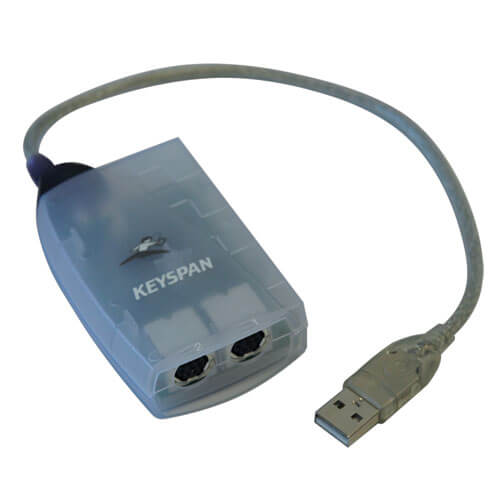
Model Number USA28XG | EatonOwner's Manual, Downloads and Support Resources for Eaton USA28XG | USB Adapters | Serial
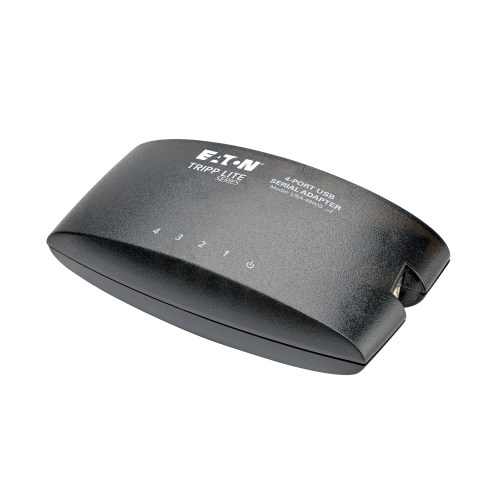
Model Number USA49WG | EatonOwner's Manual, Downloads and Support Resources for Eaton USA49WG | USB Adapters | Serial
 | |
| Posted by: cheesestraws on 2024-08-10 14:14:34 There are definitely multiple hardware revisions which have very different innards. I would see if you can find a newer driver, probably starting from where @finkmac linked. See the bottom of this page: https://www.hhhh.org/wiml/proj/keyspan.html | |
| Posted by: dv- on 2024-08-15 19:15:15 Okay, so success, sort of. I tried several different driver revisions, none worked. But on a hunch, I plugged in into my PC, and the device manager gave me some weird errors that I usually associate with defective hardware. So I bought another one of the same adapter and it was recognized immediately. First one was just fried. Thanks for the help though. 🙂 | |
| Posted by: Slimes on 2024-08-15 19:21:42 I have the x version. Seems to be seen fine with the non-g driver. Can't seem to print to an apple imagewriter I tho. Any ideas? I'm using 9.2 direct imagewriter extension on a QS. | |
Posted by: dv- on 2024-08-16 02:20:01I have the x version. Seems to be seen fine with the non-g driver. Can't seem to print to an apple imagewriter I tho. Any ideas? I'm using 9.2 direct imagewriter extension on a QS.The Keyspan assistant can provide some port monitor capabilities, so you can see if the data is being sent. A draft mode page from simple text will be short and obvious. Might be the cable you’re using. Early Apple printers required a “crossover” or null-modem style serial cable, but LocalTalk cables and a lot of the generic ones you can buy now are thru-wired. | |
| 1 |