68kMLA Classic Interface
This is a version of the 68kMLA forums for viewing on your favorite old mac. Visitors on modern platforms may prefer the main site.
| Click here to select a new forum. | |
| Help Creating Bootable Mac OS 9 CD | |
| Posted by: Garrett B on 2024-02-26 12:33:59 Well, I’m stumped and have spent way too long and tossed way too many CD-Rs in attempt at this. All I want to do is get an OS9 disc bootable (shouldn’t be that hard, right)? I have a 12” PowerBook G4 I’m using as my burner device, running 10.4. For images, I’m using an OEM 9.2.1 install CD, with corresponding .cdr image created in disk utility, and also the universal 9.2.2 downloaded from MacOS9Lives. I first tried burning directly in disk utility- no luck. Then I found out about toast, so I installed 5.2.3. I was able to select “bootable” there, thinking that would work, but nope. I have tried “write session” and “write cd” options, doesn’t make a difference. All my old laptops will read the burned discs just fine, they just won’t boot from them. What am I missing? Surely it isn’t supposed to be this hard! Do I need a machine running OS 9 to actually burn the disc? | |
| Posted by: LaPorta on 2024-02-26 12:49:13 So, first and foremost, how are you making your 9.2.1 disc? It will only work as a startup disc if you make the entire disc into a .cdr. The difference is that you need to make an image of the entire device, not the volume itself. No matter how you burn the disc, if the entire device is not made into an image, it won't work. This is what you select, for example, to make an entire disc image (I just happened to have Fallout 3 in my Mac Pro drive): 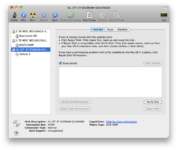 Make sure to have the device highlighted as shown above, not the disc itself. Then, make a new .cdr. If you are already doing that, then I would have to think of something else. You can burn a correctly made image to disc normally in Disk Utility without any craziness: it should just work. | |
Posted by: Phipli on 2024-02-26 13:02:27Well, I’m stumped and have spent way too long and tossed way too many CD-Rs in attempt at this. All I want to do is get an OS9 disc bootable (shouldn’t be that hard, right)? I have a 12” PowerBook G4 I’m using as my burner device, running 10.4. For images, I’m using an OEM 9.2.1 install CD, with corresponding .cdr image created in disk utility, and also the universal 9.2.2 downloaded from MacOS9Lives. 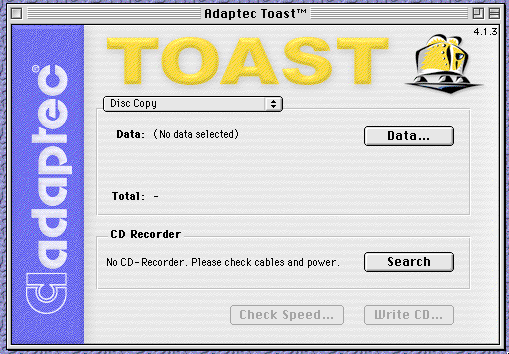
Creating a Disc Image of a Classic Mac OS Bootable CDCreating a Disc Image of a Classic Mac OS Bootable CD The most important thing when making bootable disc images is to test them. After you create your disc image file and before you upload it anywh…
 stuffandnonsense.elephantandchicken.co.uk
That might help with making an image - note you are possibly using the wrong options in toast if it offers you "bootable" as an option (weirdly)... Once you have the image, burn the image using the Disc Image option in Toast, not disk or volume. | |
Posted by: Phipli on 2024-02-26 13:05:03Surely it isn’t supposed to be this hard! Do I need a machine running OS 9 to actually burn the disc?It genuinely seems to be. No software seems to make it simple, especially on the writing side. You always have to do exactly the right thing. | |
Posted by: Garrett B on 2024-02-26 13:28:35So, first and foremost, how are you making your 9.2.1 disc? It will only work as a startup disc if you make the entire disc into a .cdr. The difference is that you need to make an image of the entire device, not the volume itself. No matter how you burn the disc, if the entire device is not made into an image, it won't work. This is what you select, for example, to make an entire disc image (I just happened to have Fallout 3 in my Mac Pro drive):I did actually try that, but Disk Utility didn’t want to make an image from the device. However, if I select the volume itself, I’m able to create the image (See screenshots). Maybe I need a different version of Disk Utility? | |
| Posted by: LaPorta on 2024-02-26 13:44:58 If not, I would try "Session 1." Also, you can try the device as I suggested, but right click on it and some option to make an image should show up. | |
| Posted by: Garrett B on 2024-02-27 13:36:36 Well, here’s one way that works (as long as you have a good CD to start with). Using the copy command in Toast 5, I was able to make a bootable disc. Unfortunately I’m still unsuccessful at burning my own image or an image of a disc, but I guess that’s a problem for another time. One of these days I’ll get 9.2.2 on my titanium PowerBook. The amount of OS 9 bootable machines I have with a CD burner is very slim! | |
Posted by: Garrett B on 2024-02-27 13:38:35If not, I would try "Session 1." Also, you can try the device as I suggested, but right click on it and some option to make an image should show up.Nice! I’ll give this a shot for making new images. | |
Posted by: Phipli on 2024-02-27 13:40:34Unfortunately I’m still unsuccessful at burning my own image or an image of a disc, but I guess that’s a problem for another time.That's a different question 🙂 I didn't realise you were asking that. This might help. 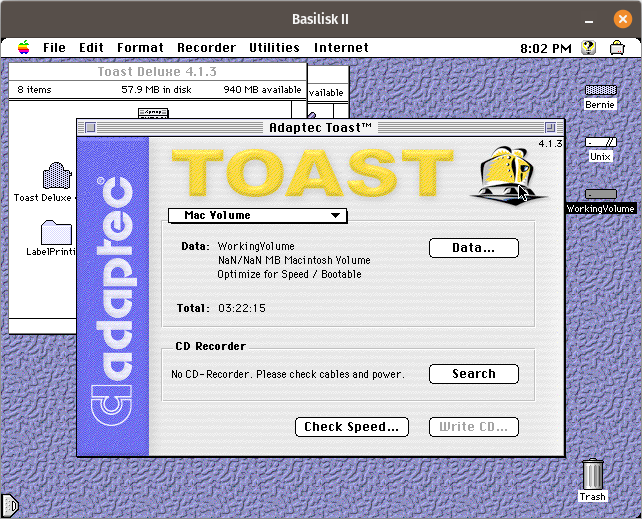
Creating a Custom Bootable Classic Mac OS CD from LinuxCreating a Custom Bootable Classic Mac OS CD from Linux and possibly other operating systems, which I don’t have to hand The following is a description of the process to easily create a HFS f…
stuffandnonsense.elephantandchicken.co.uk
Sorry it is written for Linux, but the "making an image" bit is the same whatever platform. | |
| Posted by: Phipli on 2024-02-27 13:53:20 Oh, but you need a version of the CD ROM driver extension in the system folder that supports the computer you're trying to boot, so don't use a Mac OS 7.5.5 installed extension with a G4. | |
| 1 |