68kMLA Classic Interface
This is a version of the 68kMLA forums for viewing on your favorite old mac. Visitors on modern platforms may prefer the main site.
| Click here to select a new forum. | |
| Macintosh TV - Tuner Software/Drivers | |
| Posted by: ShelShock on 2016-08-07 11:20:18 Hello fellow 68k'ers! I just managed to pick up a Macintosh TV in incredibly good condition. Everything works great - and now that I have gotten past the problem of installing Stuffit (so I can actually decompress older 68k software!). Here's the problem: Whoever owned this computer before must have wiped the hard drive and put a clean 7.6 OS install onto the computer before selling it. As a result, I think I may be missing the necessary TV tuner software and drivers. No matter what I do I can't switch to TV mode! I'm fairly certain that this is not a hardware issue, as I have opened up the unit, cleaned it, checked for damage/age related issues -- and the hardware looks good. Any idea where I can find this mythical software? I've considered buying an Apple TV Tuner card and using the drivers on the CD that comes with it -- but don't know if this is the same thing and will do the trick. Any feedback appreciated. | |
| Posted by: CelGen on 2016-08-07 13:26:12 There's nothing mythical about the software. It uses the Apple TV/Video system. I believe from system 7.6 onwards it was included on the system install media and for 7.5 you got it on floppy discs with the Apple TV/Video System. It used to be available on the Apple FTP but that's long gone now and the folks here on the forum who archived it don't seem to advertise where the heck they make their copies available online. | |
| Posted by: jhorvath911 on 2016-08-07 13:46:24 I can look on mine later today and let you know for sure but I want to say there is a control panel for TV that you can setup hotkey to switch into TV mode you simply hit that and it switches over to TV. It will not display in a window or anything like that how the power macs do. | |
| Posted by: jsarchibald on 2016-08-07 15:23:23 Wish I could help, mine came with the original install CD so I didn't have to go scrounging. However, the 7.6 installer I have worked with the TAM and TV functions, so I would think it would be in there already. | |
| Posted by: CelGen on 2016-08-07 15:44:12 Apple Video Player is universal in that all the device hooks for the AV, tuner and FM radio cards are in the program itself and when it detects them it adds them to its list of selectable devices. You don't need machine specific drivers to use its onboard A/V functions either. | |
| Posted by: jhorvath911 on 2016-08-07 16:01:30 Apple video player does not work with this. You use the "TV Setup" control panel and then switch to TV mode, it doesn't work like the later AV inputs on newer machines. 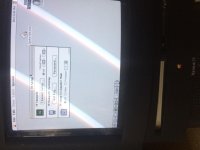  | |
| Posted by: CelGen on 2016-08-07 21:22:25 Whaaaaaaaa????? Now that is news to me. | |
Posted by: max1zzz on 2016-08-08 09:06:53It used to be available on the Apple FTP but that's long gone now and the folks here on the forum who archived it don't seem to advertise where the heck they make their copies available online.Just for future reference, My copy is here: http://asa.max1zzz.co.uk/ | |
| Posted by: flashedbios2012 on 2016-10-11 09:13:25 From what I remember when I had one of these, it can either be in TV mode OR Computer mode but there was no bridge between the two. Like you couldn't import or record video from the tuner on to the HD. I remember saying at the time "I wish there was a way to record video to the hard drive, we wouldnt need VCRs anymore". But yeah, It was either on one mode or the other, no connection between the two. As a side note, with analog broadcasting long gone, aren't the TV portions of these things pretty much useless? | |
| Posted by: Macdrone on 2016-10-11 16:13:28 depends , best thing is VCR connected to it as it will have analog signal. Digital to analog Converter boxes can be had cheap at goodwills, so it can still be used. | |
| Posted by: joethezombie on 2016-10-11 16:44:19 They also have composite in, so it's great to connect old consoles. The screen is perfect for some SNES action! | |
| 1 |