68kMLA Classic Interface
This is a version of the 68kMLA forums for viewing on your favorite old mac. Visitors on modern platforms may prefer the main site.
| Click here to select a new forum. | |
| Netatalk 2 Webmin Module | |
| Posted by: slipperygrey on 2023-09-18 15:09:23 The last few weeks I've been working hard on getting the 20-year-old Webmin module up to shape and compatible with the latest Netatalk 2.2 and Webmin 2.0. For most current Netatalk users this is probably more of a novelty, but I was thinking that it might lower the bar of entry for new users. I have now reached a "1.0 beta" state of the code, and would love to get testers & feedback. If you would like to volunteer, please install Webmin first (go to their website to learn how to for your OS) then clone this repo: GitHub - Netatalk/netatalk-webmin at branch-netatalk2Webmin module for managing Netatalk. Contribute to Netatalk/netatalk-webmin development by creating an account on GitHub.
 github.com
From within the module source tree, run make dist sudo make install The second step probably only works on Debian based Linux right now. If it fails, find where the webmin module install script lives on your system, or use the GUI in webmin itself to install the module from the tarball on the file system. Please report bugs and suggestions at the Github tracker! 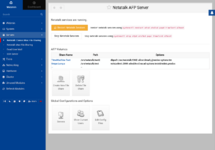 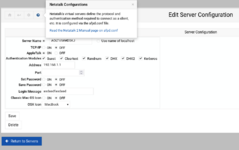 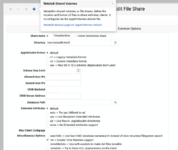 | |
| Posted by: Byte Knight on 2023-09-19 17:31:53 Very cool! Will this mess anything up if I install it on my PiSCSI? | |
Posted by: slipperygrey on 2023-09-19 17:48:39Very cool! Will this mess anything up if I install it on my PiSCSI?It may! Which is why it's called a beta, and I need to do more testing. 😉 I recommend you to take backups of your netatalk config files before using it. (afpd.conf, AppleVolumes.default, etc.) | |
| Posted by: slipperygrey on 2023-09-22 20:26:07 A version 1.0 of the webmin module has now been tagged and release tarball published at https://github.com/Netatalk/netatalk-webmin/releases/tag/netatalk2-1.0 It only takes a few min to get set up, inbetween following the steps at https://webmin.com/download/ and then installing the module tarball by one of several means. I tested briefly on my RPi3 now. The web app runs a bit sluggishly on the Pi, but at long as you run the netatalk2 module in a dedicated window without the entire webmin menu system and live system dashboard active, the CPU and memory usage is minimal. I think this is feasible as a PiSCSI companion app, for instance. | |
| 1 |