68kMLA Classic Interface
This is a version of the 68kMLA forums for viewing on your favorite old mac. Visitors on modern platforms may prefer the main site.
| Click here to select a new forum. | |
| Cube replacement optical drive - missing driver. Please help! | |
| Posted by: Treeblopez on 2023-08-13 06:16:08 I've installed a Sony NEC Optiarc AD-7640A drive inside a G4 Cube (using a 3D-printed bracket). I didn't give much thought to drivers when I bought the thing. Neither Tiger or Leopard can recognise it. And I can't find any Apple drivers online. It's one of these, so was running on later Intel Macs. Is this a lost cause? I've a feeling this was a rookie error. Sony NEC Optiarc AD-7640A superdrive AD-7640A www.thebookyard.com
| |
| Posted by: Treeblopez on 2023-08-13 06:44:43 It's among the compatible drives in this iFixit list: 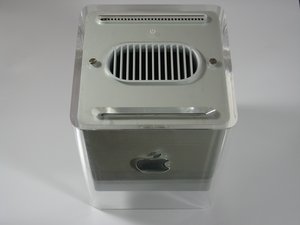
SOLVED: What optical drives from other Mac devices can be used in replacement? - Power Mac G4 CubeTo replace the original CDROM drive, you need an : ATA/IDE slot-in Superdrive, 12.7mm high. Power Mac G4 Cube Optical Drive Replacement Some compatible models are : Matshita UJ-815-B Matshita UJ-85J Matshita UJ-845-C, UJ-845-CA (RPC1) Matshita UJ-875-B (RPC1) Sony Optiarc AD-5630A (RPC1) Sony...
 www.ifixit.com
| |
| Posted by: François on 2023-08-13 07:07:29 Are you sure it’s not a master/slave problem? I have replaced the optical drive in a few cubes and don’t recall ever needing a driver. Does the drive appear in System Profiler? | |
Posted by: Treeblopez on 2023-08-13 07:22:06Are you sure it’s not a master/slave problem? Ah, it could be. I think master/slave needs to be reversed? It doesn't seem to be in System Profiler. | |
| Posted by: François on 2023-08-13 07:24:39 As by default the hard drive is set to master, the optical drive should be set to slave (or ID 1). There should be a jumper on the little adapter board between the ribbon cable and the optical drive. | |
| Posted by: Treeblopez on 2023-08-13 07:53:34 Thanks François. The optical drive adapter (green) doesn't seem to have a jumper but the one connect to the SSD hard drive (red) does. Any suggestions? Should I swap them round? | |
| Posted by: Treeblopez on 2023-08-13 07:59:45 Actually I was looking at the wrong end. Jumper here, I think, but I don't know how to interpret. | |
| Posted by: François on 2023-08-13 08:04:15 csel means cable select, the master/slave configuration is determined by the cable, but it’s not supported in the Cube. Lo (low) is master and Hi (high) is slave, or is it the other way around?! | |
| Posted by: François on 2023-08-13 08:07:45 Turns out I have the exact same interface board: just remove the jumper, so 2-3 will be open and in the Hi configuration that would be slave! | |
| Posted by: Treeblopez on 2023-08-13 08:27:34 So I've done that - and there's *some* progress. It now appears in System Profiler. But there's a DVD inside it - it happily swallowed it and I can see that the drive has power - but it hasn't mounted it. | |
| Posted by: Treeblopez on 2023-08-13 08:31:18 ID=0 (hard drive); ID=1 IDVD) but "no mountable media inserted". I'm not sure where the eject is now to force it out. | |
| Posted by: Treeblopez on 2023-08-13 08:36:17 After a couple of reboots it mounted it! But it's not happy for some reason... | |
| Posted by: Treeblopez on 2023-08-13 09:01:34 Thanks very much, François - you solved my fundamental problem. It's half working. The Mac can see it and they're talking to each other. It ejected a disc quite comfortably when I rebooted and held down the mouse button. It's mounted a disc once. But it isn't reading it. And now I can't get it to accept a disc at all (I tried a different disc). So there's a hardware problem somewhere? Either the drive is dodgy or I didn't install it properly - but if it ejects discs normally I'd expect it to accept them normally (ie it's not misaligned). Frustrating... | |
| 1 |