68kMLA Classic Interface
This is a version of the 68kMLA forums for viewing on your favorite old mac. Visitors on modern platforms may prefer the main site.
| Click here to select a new forum. | |
| Pi Pico Clock Generator for Mac Overclocking/debugging | |
| Posted by: zigzagjoe on 2023-06-25 13:10:15 Here's a quick bit of code to use a Pi Pico as a clock generator. This is an easy way to quickly test a bunch of frequencies without having to have a full fledged signal generator or a bunch of crystals. I can't resist pushing the limits, and a pi pico is much cheaper at $4! Setup: You can flash the provided UF2 file using the usual pi pico mechanism. Or, you can compile the code via arduino and the rp2040 core. Usage: Nothing complicated here - just connect GP21 to your clock input and connect a ground, then connect to the pi pico's COM port to change frequencies. I recommend having a resistor between GP21 and your clock input (if one is not already present) to improve signal quality. Make sure the pi pico is powered before booting your Mac, or other device under test. Don't change the clock while the device is powered on, it does seem to work for my case but it's likely to crash Macs. 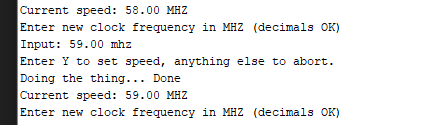 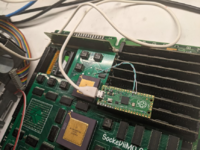 | |
| 1 |