68kMLA Classic Interface
This is a version of the 68kMLA forums for viewing on your favorite old mac. Visitors on modern platforms may prefer the main site.
| Click here to select a new forum. | |
| Macintosh SE out of storage worked great for two days and now it won't start | |
| Posted by: fionaellie on 2023-05-11 12:25:41 It has a hard drive installed (I installed it in the late 80's) along with two floppies that it came with. Amazingly, it started up immediately and we played a few rounds of Tetris and Pipe Dream. Shut it down and the next morning it displays the floppy-disk-flashing-question-mark icon. It still boots off a floppy system disk, but the hard disk is not appearing on the desktop. The hard drive is definitely spinning up (I opened up the mac and confirmed it by listening and unplugging the power from the hard drive and hearing it spin down). I've checked the data cable and it looks ok. Any ideas? Thanks! | |
| Posted by: Nixontheknight on 2023-05-11 12:29:50 Unfortunately, the hard drive might have died while it was in storage, this happens frequently with old SCSI hard drives | |
Posted by: fionaellie on 2023-05-11 12:56:08Unfortunately, the hard drive might have died while it was in storage, this happens frequently with old SCSI hard drivesI thought that might have happened, but it worked great for two days, and it still spins fine. That's why I'm wondering if it's something else -- I wonder if there's a way to test some aspect of it. I don't think the computer is recognizing the drive's presence. | |
Posted by: Nixontheknight on 2023-05-11 12:56:42I thought that might have happened, but it worked great for two days, and it still spins fine. That's why I'm wondering if it's something else -- I wonder if there's a way to test some aspect of it. I don't think the computer is recognizing the drive's presence.if you have system disks, see if one has apple HD SC setup, you should be able to test it from there | |
| Posted by: joshc on 2023-05-11 14:38:36 Is the SCSI cable still plugged firmly into the logicboard? They have a tendency of popping out sometimes. | |
Posted by: fionaellie on 2023-05-11 15:12:33Is the SCSI cable still plugged firmly into the logicboard? They have a tendency of popping out sometimes.have not checked this yet...It's a ribbon cable that has a few bends in it. | |
| Posted by: volvo242gt on 2023-05-11 15:23:52 I've had similar problems before. Not on an SE, but on a couple Centris 650 machines. On one machine, it happened twice. Boot blocks got scrambled after a hard freeze in System 7.5.5. First time, nuked, repaved, and reinstalled from a backup I'd done three years prior. Second time, took the drive out, and put it into a IIci, which happily booted the drive. Reinstalled it in the 650 and that computer happily booted the drive as well. On the other machine (the one I just retired), I added an activity LED to the drive. Powered up the Mac, heard a quiet *skkkrk* noise, then the platters spinning, but with no activity and the floppy disk icon in the middle of the screen flashing away. Replaced the drive with a 250MB drive, and kept the old 230MB drive as a backburner project. A couple months ago, bought a junker 230MB drive with an Apple ROM board on it. Swapped the board over out of curiousity. Connected the drive to my soon-to-be old LCIII. 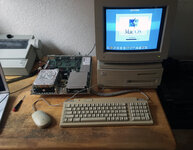 Worked. All the data is there, drive works fine. If the SE froze up, and you have another Mac old enough to boot from the software that is on the drive, might be worth trying the trick I mentioned at the end of the second paragraph above. It might come back. | |
| 1 |