68kMLA Classic Interface
This is a version of the 68kMLA forums for viewing on your favorite old mac. Visitors on modern platforms may prefer the main site.
| Click here to select a new forum. | |
| Apple 5.25 Drive - IIe Card - PC floppies - Error | |
| Posted by: KnobsNSwitches on 2022-08-09 06:52:18 I admit my Apple II knowledge is...rusty. I have a IIe card in a color classic, and hooked up an Apple 5.25 drive. The only 5.25" floppies I have are from a DOS machine. Every time I try to format a disk in Copy II Plus the drive makes noise but i get an error...I don't know if the drive is good (other than it makes wonderful 5.25 floppy noises). Is my drive bad? Or do I need different floppies? | |
| Posted by: bibilit on 2022-08-09 07:01:12 The head is probably dirty (old floppies are often contaminated) remove the cover of the drive and have a look first (head should be spotless, if any black stain... you know why) if the head is fine, disc can be bad, or drive out of adjustment (299 Rpm) if drive has the correct speed, the analog board can be faulty. | |
| Posted by: sfiera on 2022-08-09 07:51:06 Which 5.25" drive are you using? The only 5.25" drive compatible with the IIe card is the A9M0107. | |
Posted by: KnobsNSwitches on 2022-08-09 08:34:22The head is probably dirty (old floppies are often contaminated) remove the cover of the drive and have a look first (head should be spotless, if any black stain... you know why)I will have to take it apart and check. Is there a procedure to confirm the speed? Which 5.25" drive are you using? The only 5.25" drive compatible with the IIe card is the A9M0107.I did not know this, but fortunately my drive IS the A9M0107 | |
| Posted by: bibilit on 2022-08-09 12:46:27 Some software can test the drive speed, but data will be written in the process on the disk. The best way is to use the pattern on the underside of the drive to calibrate the drive. | |
| Posted by: KnobsNSwitches on 2022-08-16 11:49:14 I disassembled the drive and cleaned the head (which did not appear dirty), and i got some "brand new" floppies, but I still get the same error trying to format these new floppies. I will need to learn how to calibrate the drive. | |
Posted by: bibilit on 2022-08-16 23:04:38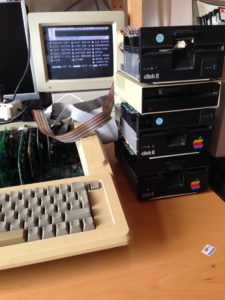
Recalibrating Disk ][ Drives - Apple II FAQIntroduction This guide will focus on my personal experience regarding the recalibration of Apple Disk ][ Drives. Many old drives are still available today but often show problems reading and writing disks even after intense cleaning processes of the mechanics and the read/write-head. One...
 www.apple2faq.com
| |
| Posted by: waynestewart on 2022-08-17 08:15:01 Which 5.25" floppies are you using? | |
| Posted by: bibilit on 2022-08-17 12:34:23 Yes, not use the last generation of 5,25 units, only the low density will work. | |
| 1 |