68kMLA Classic Interface
This is a version of the 68kMLA forums for viewing on your favorite old mac. Visitors on modern platforms may prefer the main site.
| Click here to select a new forum. | |
| PowerBook 145B Screen Issues After Recap | |
| Posted by: mooxitani on 2022-05-26 18:47:25 Hi all, I recently picked up a free PowerBook 145B that booted, but there was no image on the screen. After giving it a recap, it now displays a clean image expect for the large section at the bottom of the screen that appears to have too much contrast. Is this an issue with the LCD itself, or could something else cause the issue? Thanks in advance! | |
| Posted by: 3lectr1cPPC on 2022-05-26 19:13:25 Can you see anything in the affected area, or is it just blank? Check the following: 1. Reflow all of your solder work 2. Clean both sides of the display board VERY WELL 3. check your LCD connector for damage If none of the following helps, and you can’t see anything at all in the area, it’s probably ribbon damage, likely from the capacitor leakage. If that’s the case, the display is probably toast. | |
| Posted by: mooxitani on 2022-05-26 19:34:24 Thanks for the response. I’ve included a better picture of the screen once it has booted. To me, it looks like that portion of the screen’s contrast is higher than the rest. Going to work on cleaning the display board now. | |
| Posted by: Johnnya101 on 2022-05-26 20:59:07 Also check the area around the actual bare LCD panel, the part where the cables and connectors connect the LCD to the surrounding PCB. Cap goo likes to get in there and make a mess. | |
Posted by: 3lectr1cPPC on 2022-05-27 10:01:20Also check the area around the actual bare LCD panel, the part where the cables and connectors connect the LCD to the surrounding PCB. Cap goo likes to get in there and make a mess.+1 on this, give it all a real good cleaning and see what happens. | |
| Posted by: mooxitani on 2022-05-27 19:27:17 Just reflowed all of my solder connections, and I’ve given the board a deep clean with IPA, but unfortunately the screen is acting pretty much the same way. I’ve figured out that if a window is placed right under where the affected section is, the screen looks mostly normal. Is there a chance this could be an issue with the inverter board? I have not changed the two caps on there yet 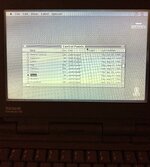 | |
| Posted by: 3lectr1cPPC on 2022-05-28 06:02:29 From what I’ve heard, inverted board issues are usually affect the entire display, but there’s nothing wrong with giving that a go. This is a very strange issue, especially with your added detail on the window mostly fixing it. The only idea I have is an issue with the internal display ribbons that go from the display PCB to the panel itself. I have read before that a quick reflow in the oven fixed dead lines on a 180c panel, but those were totally dead instead of the contrast issue you have shown. That’s all I’ve got I’m afraid. Edit: here’s that 180c thread I mentioned: Goofy Line on PowerBook 180c DisplayI don't know if what I have can be called "confidence", I just wing it and pray it works out. That's how I've been fixing things for decades and somehow it hasn't bit me in the rear; yet. These old machines are honestly a good starting point. Plastics are fragile, but component density is much...
 68kmla.org
| |
| Posted by: techknight on 2022-05-31 07:08:09 the way it looks to me, is one of the caps ate away a trace/via. you are missing a signal to one of the buffer/driver ICs. gotta chase that down and fix it. Or, you can order a NOS screen out of the UK. | |
| 1 |