68kMLA Classic Interface
This is a version of the 68kMLA forums for viewing on your favorite old mac. Visitors on modern platforms may prefer the main site.
| Click here to select a new forum. | |
| Replaced what I thought was a tantalum but I was wrong. Need help! | |
| Posted by: Verault on 2022-05-10 16:18:46 So let me start off saying I HAD a working Mac Color Classic. I had already repaired the board and replaced its capacitors last year. This week I was going to finally recap the Analog board. Well once I did theat the unit would not boot and had a constant high pitch chirp. After care ful examinging of the board I found two issues. I replaced a 0.47 100V electrolytic capacitor with a bipolar capacitor of the same value (I installed the correct one). Still a short. I then realized that what I thought was a tantalum capacitor (Judging by its teardrop style package) may not have been a tantalum cap at all. The capacitor CD3 is located at the front of the analog board where the edge connector slided into the chassis, its under the metal shield. I desoldered one leg and I can get the analog board to power with no more chirp. Problem is I threw away the original Cap and finding info online is hard to come by. Can any other Mac color classic owner verify what this cap is at location CD3 on the Analog board? 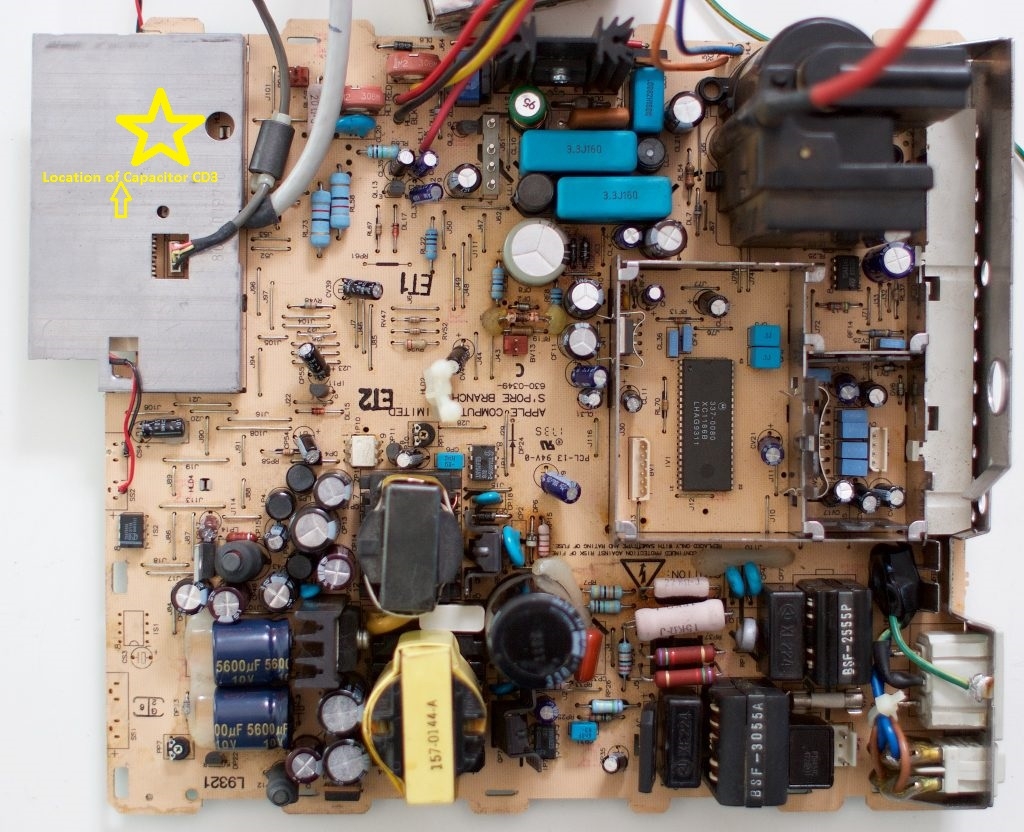 Here is a closeup shot of my analog board with that shield remove and the new capacitor I installed (Like I said I removed one leg to test). What is this capacitor type supposed to be? Tantalums should have a positive designation on the board just like electrolytics and this board doesnt have that. So a typical ceramic? 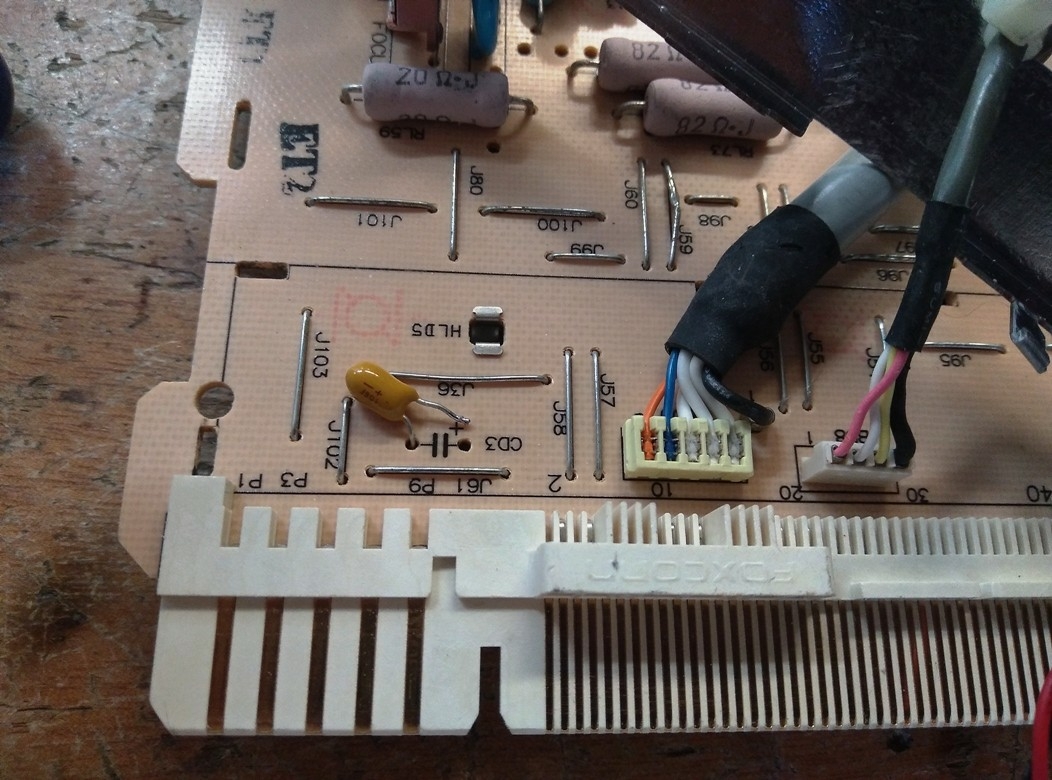 | |
| Posted by: jajan547 on 2022-05-10 16:33:54 That is in fact supposed to be a 10uF 16v capacitor. | |
| Posted by: Verault on 2022-05-10 16:35:50 But what type Ceramic? There is a recap list online that lists that info but it doesnt specify what type. Maybe a 106 ceramic cap? | |
Posted by: jajan547 on 2022-05-10 16:43:20But what type Ceramic? There is a recap list online that lists that info but it doesnt specify what type. Maybe a 106 ceramic cap?I'd imagine axial but I'll take mine apart and look | |
| Posted by: jajan547 on 2022-05-10 17:13:23 Here's the stock cap on mine. | |
| Posted by: Verault on 2022-05-10 18:16:45 thanks so much for that. Well that looks like a tantalum for sure doesnt it? | |
Posted by: jajan547 on 2022-05-10 18:17:33thanks so much for that. Well that looks like a tantalum for sure doesnt it?agreed try flipping yours the other way, or what the voltage on yours? | |
| Posted by: Verault on 2022-05-10 18:24:50 mine is a 106 tantalum and it looks like i had thr positive hooked up the same as yours. I will try another cap tomorrow. maybe its just a bad cap | |
Posted by: jajan547 on 2022-05-10 18:25:40mine is a 106 tantalum and it looks like i had thr positive hooked up the same as yours. I will try another cap tomorrow. maybe its just a bad capMaybe weird issue what do traces on other side look like? | |
| Posted by: Verault on 2022-05-11 07:22:21 I will post a photo | |
Posted by: jajan547 on 2022-05-11 07:23:02I will post a photoSounds like a plan. | |
| Posted by: Verault on 2022-05-11 08:57:12 Ok here is the underside of the board I circled the cap location. 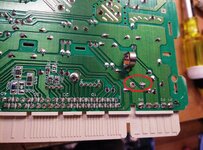 | |
| Posted by: Verault on 2022-05-11 09:45:04 So I tried another cap, and replaced a 3300uf cap because it looked a bit cockeyed and the label which shows the negative post location was pretty far from where the pin was and that bothered me (who knows).. Its booting again! I just booted from and external/portable SCSI cdrom (diskman) Which I wanted to test out and it works!. So I dunno a couple bad caps, and I guess a bad brand new tantalum. Will assemble the whole thing and post back. Phewww! That was nerve racking! | |
Posted by: jajan547 on 2022-05-11 09:56:39So I tried another cap, and replaced a 3300uf cap because it looked a bit cockeyed and the label which shows the negative post location was pretty far from where the pin was and that bothered me (who knows)..That’ll do it happy it’s running again. | |
| Posted by: David Cook on 2023-09-21 17:21:00 I just experienced the exact same problem. I received my Color Classic from eBay and wanted to try it before recapping the analog board, but after recapping the logic board. It worked at first and then failed. It still didn't work after a complete recap. The board was clean. No burnt or visually damaged parts. I wish I had found this thread before I spent hours scratching my head. So, here is my SEO text: Color Classic won't power on. No power Color Classic. Color Classic won't turn on. Color Classic won't power up. Color Classic analog board short One high-pitch chirp squeak noise click when the power switch is first turned on. Three chirps or three squeaks or three noises or three clicks or 3 squeaks or 3 chirps or three clicks when pressing the power key on the keyboard for soft power. This particular noise indicates the Classic Classic has a short on the analog board and the power supply is preventing a fire by shutting off. Using a multimeter, test for a short where @Verault shows in the photo below. In fact, you can also test P1 to ground to see if the other power rail is shorted. 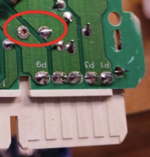 Here's a view of the same area on the top side of the Color Classic analog board. Refer back to @Verault 's initial post for other views. 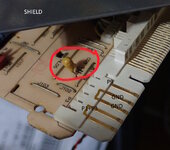 The point is, CD3 is a hidden 10 uF 16V tantalum capacitor that may be shorted. At least two of us have now experienced this. Because the capacitor is not visible, it is easy to overlook. Replacing this capacitor (I chose a 25V replacement) removed the fault and my Color Classic now works. An unrelated issue on my board, was that the solder joints on the power switch and metal brace were loose. Likely due to the physical stress whenever the power switch is toggled. I resoldered all three holes. 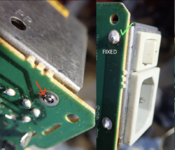 | |
| 1 |