68kMLA Classic Interface
This is a version of the 68kMLA forums for viewing on your favorite old mac. Visitors on modern platforms may prefer the main site.
| Click here to select a new forum. | |
| LaserWriter IIg Cannot Reach Temperature Error | |
| Posted by: Johnnya101 on 2022-03-07 14:32:17 Turned on my LaserWriter II for some work prints, and discovered the Paper Jam and Paper Out lights were flashing! I opened printer utility and found that it was flashing a temperature related error. Opening the printer door, I noticed there is no heat like usual coming from the fuser. I jumped pins 4 and 22 to bring it into diagnostics mode, and was greeted by the ready light and toner out solid, and the last two flashing, which according to the chart means bad fuser. So... I would hope I can use a typical HP LaserJet II or III fuser with this? Would this work? 
OEM HP Fuser Assembly for HP LaserJet II LaserJet III RG1-0939-000B | eBayFind many great new & used options and get the best deals for OEM HP Fuser Assembly for HP LaserJet II LaserJet III RG1-0939-000B at the best online prices at eBay! Free shipping for many products!
www.ebay.com
Or this one? 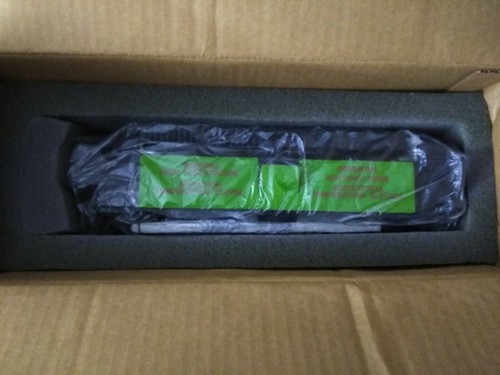
HP LaserJet 2/2D/3/3D/SX Fuser Assembly - HP-RG1-0939 | eBayFind many great new & used options and get the best deals for HP LaserJet 2/2D/3/3D/SX Fuser Assembly - HP-RG1-0939 at the best online prices at eBay! Free shipping for many products!
www.ebay.com
Or is there a way to refurbish the original? I'd rather reuse it. Print engine has about 67k pages, logic board 180k. Apple usually calls for replacement at 100k. Guess age + storage conditions might have something to do with it as well... If I rebuild it, what part actually failed? This? Or this? 
Fuser heating lamp 120v 60 hz, PN rh7-4024 For HP Laserjet II & III | eBayFind many great new & used options and get the best deals for Fuser heating lamp 120v 60 hz, PN rh7-4024 For HP Laserjet II & III at the best online prices at eBay! Free shipping for many products!
www.ebay.com
| |
| Posted by: Johnnya101 on 2022-03-07 15:40:39 Strange looking bulb, think it's toast. Think I'll try and get a new bulb. No continuity at all. | |
| Posted by: NJRoadfan on 2022-03-07 17:28:20 LaserJet II/III fusers work fine. Should be readily available and not too expensive. | |
| Posted by: Johnnya101 on 2022-03-07 17:35:57 Managed to find a LaserJet II/III parts lot with a refurbished fused, toner, gear trains, cables, Corona assemblies and more, so I'll just swap in a new fuser. For the old one, at some point I'd like to replace the bulb. What is the correct model number for it? I see two different bulbs in ebay, ones a 100 volt, ones a 200 volt? RH7-4024-000 vs RH7-4025-000? | |
| Posted by: retro_bill on 2022-03-07 19:12:22 I just got a fuser off ebay like this one:
OEM HP Fuser Assembly for HP LaserJet II LaserJet III RG1-0939-000B | eBayFind many great new & used options and get the best deals for OEM HP Fuser Assembly for HP LaserJet II LaserJet III RG1-0939-000B at the best online prices at eBay! Free shipping for many products!
www.ebay.com
fixed my Laserwriter IINTX | |
Posted by: retro_bill on 2022-03-07 19:22:21Turned on my LaserWriter II for some work prints, and discovered the Paper Jam and Paper Out lights were flashing! I opened printer utility and found that it was flashing a temperature related error. Opening the printer door, I noticed there is no heat like usual coming from the fuser. I jumped pins 4 and 22 to bring it into diagnostics mode, and was greeted by the ready light and toner out solid, and the last two flashing, which according to the chart means bad fuser.Cheaper and easier just to get a new fuser. I paid $50 shipped | |
| 1 |