68kMLA Classic Interface
This is a version of the 68kMLA forums for viewing on your favorite old mac. Visitors on modern platforms may prefer the main site.
| Click here to select a new forum. | |
| PB160 screen recap failure. Any suggestions? | |
| Posted by: avadondragon on 2022-01-22 20:35:52 So quite a while back I recapped a powerbook 160's screen and the results weren't so great. I've done many successful recap jobs (including powerbook screen recaps) in the past so I felt pretty good about the work. Just recently I decided to get it off the self and check my work under the microscope and see if there were any bad solder joints or anything but I didn't see anything unusual. It's presenting vertical lines through the top half of the screen. The bottom half looks perfect. Anyone have an idea what could be wrong. I don't actually remember what the state of the screen was before the recap. I think it just had severe ghosting. 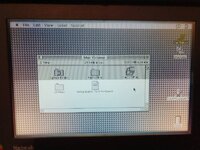 | |
| Posted by: bibilit on 2022-01-23 00:15:10 Have a similar issue on one of my screens, never been able to find why , suspecting a chip gone bad in the screen board, or maybe a broken trace. | |
| Posted by: Byrd on 2022-01-23 01:45:07 Was the screen passable before the recap? I killed a PB100 LCD using too much heat to remove some screen caps - you might have done same. They’re incredibly fragile to work on | |
| Posted by: avadondragon on 2022-01-23 08:18:50 Unfortunately I can't remember what the screen looked like before although I think its was passable. I had pretty much assumed I used too much heat removing the old capacitors so it probably is that. I looked the board over very carefully and I didn't see any broken traces. The ribbon cables on these things are incredibly delicate so I thought it might be one of them be they all looked good too. Is there any chance whatsoever that I got a bad/damaged ceramic cap? | |
| Posted by: Johnnya101 on 2022-01-23 08:31:46 Worse case, if you have around $200 to burn, they sell new LCD panels. Nobody here has tried to buy one, but they have the same part number. | |
| Posted by: pezter22 on 2022-03-13 20:00:23 I just recapped one of my PB165 and my screen looked exactly the same. I removed the screen again and checked continuity with all the caps and they were good. I plugged it back in and still had the same issue. With the next removal, I noticed small amounts of capacitor goo on the long PCB boards that run the length of the screen. I cleaned it up with alcohol placed it back on laptop and the screen was perfect. So I would suggest cleaning up everywhere, not just area where the capacitors were replaced. That goo travels. | |
| Posted by: 3lectr1cPPC on 2022-03-14 07:59:09 It’s also worth checking if there’s an issue with the screen cable. I had a similar issue with my 145 after taking it apart once (bottom half was screwed up), it was a loose screen cable where it plugged into the display. I’d try taking yours apart and adjust the display cable while it’s running. If the top half lines flicker in and out you’ve got your problem. | |
| Posted by: pezter22 on 2023-01-23 10:01:33 Were you ever able to resolve this issue? I have the exact same problem after a recap on my PB165. I checked the new caps and searched for any broken traces. I also cleaned up all the remaining cap goo, but the screen has remained the same. I have recapped several PB165 and this is the first one to have this issue. | |
| Posted by: avadondragon on 2023-01-23 10:18:08 No I never got it fixed. I did find a brand new drop in replacement LCD though. I might get around to actually buying it one day. https://68kmla.org/bb/index.php?thr...5-145b-160-165-lcd-displays.40168/post-434774 | |
| Posted by: 3lectr1cPPC on 2023-01-23 10:22:19 What type of caps did you use on the LCD? Ceramics can cause issues. I’d use electrolytic and tantalum caps only on these. | |
Posted by: CC_333 on 2023-01-23 16:54:02No I never got it fixed. I did find a brand new drop in replacement LCD though. I might get around to actually buying it one day.I have a 160 that could use one of those.... c | |
| Posted by: rollmastr on 2023-01-24 09:47:43 I ran into a similar issue after recapping the LCD of my PowerBook 165. The top half of the screen kept going black. I assume that too much cap goo got on the ribbons and did some damage to the drivers. The solution was to get a busted 160 and recap its screen. | |
| Posted by: 3lectr1cPPC on 2023-01-24 09:59:02 That can definitely be a cause. Screen recaps are top priority, once those ribbons go there’s no fixing it, unlike bad traces on a logic board. | |
Posted by: pezter22 on 2023-01-24 10:41:14What type of caps did you use on the LCD? Ceramics can cause issues. I’d use electrolytic and tantalum caps only on these.I used ceramics for the nine 3.3uf capacitors. I will look into some tantalums instead. I don't have any breaks in the ribbon flex cables along the side of the screen. | |
| 1 |