68kMLA Classic Interface
This is a version of the 68kMLA forums for viewing on your favorite old mac. Visitors on modern platforms may prefer the main site.
| Click here to select a new forum. | |
| Macintosh SE with Lapis Displayserver card | |
| Posted by: gijsmans on 2022-01-15 15:15:54 I have a Macintosh SE with Lapis Displayserver SE card. I found the drivers here: https://vintageapple.org/macdrivers/video.shtml Unfortunately the .sit file does not unstuff because it is corrupted. My questions. Does anyone have this card running and what monitors does it support? Only the Portrait? Does someone have the drivers for this card? Or can I use the Mobius drivers as well? ps. First photo before cleaning 🙂 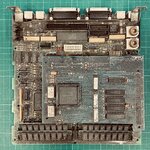 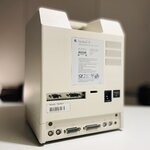 | |
| Posted by: joshc on 2022-01-17 23:47:06 Try the driver available here 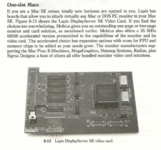 Seems it is the same as a Mobius MultiScreen card and the Lapis driver is compatible with the Mobius according to this person: Also found this from an old Macworld magazine, seems the DisplayServer was bundled with some other stuff as part of this weird headless SE thing MicroMac offered: MicroMac Unveils Headless SE Hopefully that helps a bit, I know it's not definitive but certainly suggests you should be able to use it with a range of monitors, not just a portrait display. | |
| Posted by: avadondragon on 2022-01-24 10:06:51 Here's another write up suggesting it could use common VGA displays. 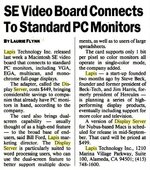 Could you take a picture of the ribbon cable part? Maybe a pic of the underside of the card too. I have a Lapis card that is a year newer than this but can't find any info about it. I'd love if it could output common VGA too. It has a 16 pin header like yours. | |
Posted by: gijsmans on 2022-01-28 10:35:51Here's another write up suggesting it could use common VGA displays.Thanks for taking the time to help. Unfortunately the Mobius driver doesn’t work. The monitors I connect don’t even show the sign of any signal. Either I really need the Lapis driver or maybe the card is dead somehow. Anyway, here some more photos. 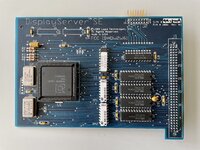 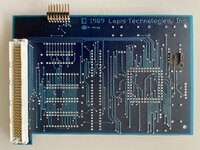 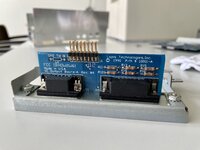 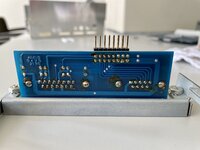 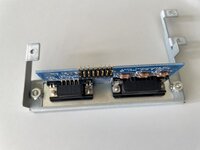 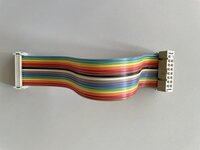 | |
| Posted by: AlexCL on 2022-02-17 15:50:05 Good Afternoon, I just bought an old Mac SE off Mercardi because it had an expansion card installed with ports on the back... The software on the hard disk appears to be the Lapis Display driver Control Panel you need. I had to drop it in the system folder and bring up the Control Panel to set the menu bar to appear on the Mac SE screen or it just starts up with a grey screen (the extended screen has the menu). I've attached a disk image with the control panel...you'll need to drop it in your system folder (System 6) or Control Panel Folder (System 7). | |
| Posted by: cheesestraws on 2022-02-18 03:00:31 That's a very good find! Might be worth uploading this to the Garden or similar? | |
| Posted by: Realitystorm on 2023-03-31 07:51:37 I may have found the actual MicroMac branded driver for this in the stack of NewLife disks I have. The MicroMac driver is for the MicroMac SE 1.0 1990-08-16 copyright Lapis Technologies Inc. | |
| Posted by: JT737 on 2025-08-21 12:29:03 Has anyone had any luck getting this card to display on an external monitor? I've tried a few options so far....and not much luck, yet. I've tried directly connecting a monitor to both the VGA port(LCD monitor) and the CGA port (an old Tandy monitor). The Tandy seems to want to work....except the refresh rate won't sync properly. I have even tried to use a CGA to VGA converter.....with poor results: 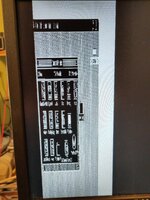 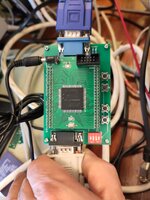 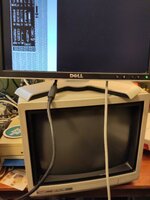 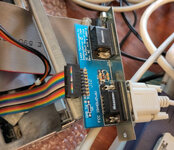 | |
| 1 |