68kMLA Classic Interface
This is a version of the 68kMLA forums for viewing on your favorite old mac. Visitors on modern platforms may prefer the main site.
| Click here to select a new forum. | |
| LC II - no chime, no display after recap | |
| Posted by: Katakis on 2022-01-12 19:32:56 I got my Mac LC II recapped last week after 4 years of storage. When I got home to test it out, everything was working perfectly; there was a chime and I got a display. Even the SCSI HDD I got my technician to install also was working perfectly. I told him the good news and he was pleased. Unfortunately, I was tricked into thinking it works, because after that I am now receiving no chime or display upon bootup. The reason why there could be no chime was because my technician also detected a bulge in the audio capacitor? Are there any ideas why this would be a one-off? | |
| Posted by: Nixontheknight on 2022-01-12 19:35:33 I’d say the entire board needs to be recapped at this age, any macs from the early to mid ‘90s will all need to be recapped at this point | |
| Posted by: Katakis on 2022-01-13 17:01:18 So replace all the capacitors on the entire board, not just the ones listed here: | |
Posted by: Nixontheknight on 2022-01-13 17:02:23So replace all the capacitors on the entire board, not just the ones listed here:I meant those. It would be best to replace those with tantalum capacitors at this point | |
| Posted by: joshc on 2022-01-13 17:12:50 Your LC II probably won't work reliably until the logicboard is fully recapped and the PSU is also recapped. Some photos of your board would be good to identify is there is anything else going on. I also wouldn't put much faith into a SCSI hard drive at this point, even if they work they tend to fail pretty soon after. Get a SCSI2SD or BlueSCSI instead for it. | |
Posted by: Katakis on 2022-01-13 21:25:23I meant those. It would be best to replace those with tantalum capacitors at this pointYou mean those yellow things that replace surface-mounts? This is the first time I ever heard about it, but I only found out from recapamac.com.au | |
Posted by: Nixontheknight on 2022-01-15 09:07:11You mean those yellow things that replace surface-mounts? This is the first time I ever heard about it, but I only found out from recapamac.com.auYes. Tantalums are better than electrolytics in many ways, but they're only meant for low voltage applications like motherboards. For the PSU, you have to replace them with newer electrolytics for the time being | |
Posted by: Katakis on 2022-01-17 17:27:51Some photos of your board would be good to identify is there is anything else going on. | |
| Posted by: zezba9000 on 2022-01-17 17:39:26 You should only need to replace the electrolytic caps. If it worked before its probably not the PSU atm. Are those pictures of the board after you recapped? Did you use heat gun? Did you pull up any traces? Did you wash board off with IPA (isopropyl alcohol)? Or Its possible you broke a trace. Go around each chip you soldered & check its pin in making a connection with other parts of the board. | |
Posted by: Katakis on 2022-01-17 21:13:26You should only need to replace the electrolytic caps. If it worked before its probably not the PSU atm. Yeah, the entire board was recapped and IPA was used to clean the area around the capacitors. During replacement, fresh solder joints checked and cleaned with isopropyl alcohol. Not sure about the traces, but I think they are untouched. My technician also noted that one of the 100uf caps (audio capacitor?) was bulging, yet there was no problems with sound the first time I used it after replacement. P.S. I usually get the capacitors from RS Components, and there are 2 types: Hybrid and Electrolytic. Does it matter if some of the capacitors are Hybrid? | |
| Posted by: joshc on 2022-01-17 23:07:32 I can see some gunk around the legs of the Egret chip which is a vital part of the startup circuit on these. 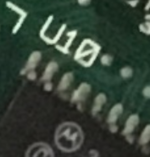 UB9 also looking particularly dirty still 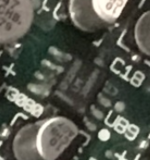 I would check continuity of everything in that corner and go from there, but I think more cleaning wouldn't hurt either. | |
| 1 |