68kMLA Classic Interface
This is a version of the 68kMLA forums for viewing on your favorite old mac. Visitors on modern platforms may prefer the main site.
| Click here to select a new forum. | |
| Pb 5300ce pcmcia cage replacement | |
| Posted by: MikeatOSX on 2016-03-30 10:30:55 I got a second beautiful PowerBook 5300ce with a working (!) battery and working power supply board but with several other issues: I replaced the broken front and back bezel and have to re-solder the power-connector. But there is also a problem with the PCMCIA cage: the upper slot worked only once, the lower slot does not work - both slots seem to not fit very good and I suppose cards were put in with force in the past. 🙁 I have two spare 5300cs logic boards, so my question is: is it difficult to replace the PCMCIA cage? | |
| Posted by: Strimkind on 2016-04-13 20:47:33 It should not be too difficult. From memory, besides being somewhat fragile, these were fairly serviceable. | |
| Posted by: Byrd on 2016-04-13 22:36:47 Recall the same, it's tricky to reassamble back in. Maybe check the pins aren't damaged in the existing cage | |
| Posted by: MikeatOSX on 2016-04-14 01:12:17 Thanks, I have to invent a special tool to check or bend the pins. | |
| Posted by: Elfen on 2016-04-14 18:31:31 If you remove the keyboard, you can use a dental probe/mirror and a flashlight to check the pins. The ejection switches are on a tiny board that always breaks from the logic board but with a steady hand you can solder it back on. I think the PCMCIA cage just snaps into into place through a connector but you should check the connector for broken solder joints. | |
| Posted by: MikeatOSX on 2016-04-15 00:29:45 I got the PowerBook 5300ce as a gift, as something heavy must have been put on it and the hinge attachments, clutch covers etc. were broken. So I used front and back bezel and hinges from a defective cs and the display is ok and working now. One of the broken clutch cover parts slipped in the PCMCIA cage and did some damage, when a PCMCIA card was put in. My fault: I should have seen that. 🙁 | |
| Posted by: Elfen on 2016-04-15 08:55:55 Got photos to post up? This could be simple or this could be a nightmare repair. But I can't say without seeing it. | |
| Posted by: MikeatOSX on 2016-04-15 14:24:38 Not now, it's difficult to do because the flash should lighten the complete inside. | |
| Posted by: Elfen on 2016-04-15 23:17:13 Tape some tissue paper around the flash to soften its output. | |
| Posted by: MikeatOSX on 2016-04-16 12:32:21 Will see. It's not a job for my Canon EOS 6D, but for my small Canon Ixus. | |
| Posted by: MikeatOSX on 2016-04-16 18:21:43 The first 2 pictures are from the (unopened) PowerBook 5300CE with the defective PCMCIA slots. The last 3 pics are from a naked PowerBook 5300CS logic board, which I have. 1200x900 pixel I'm not wiser, now... 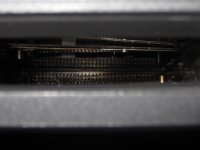 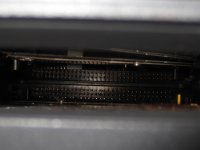 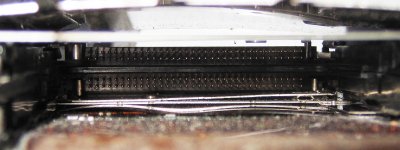 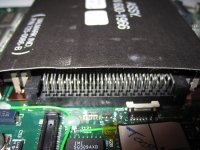 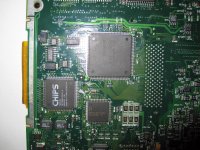 | |
| 1 |