68kMLA Classic Interface
This is a version of the 68kMLA forums for viewing on your favorite old mac. Visitors on modern platforms may prefer the main site.
| Click here to select a new forum. | |
| SimCity 1.1 DRM | |
| Posted by: Iesca on 2021-01-28 14:03:15 I recently acquired the North American 1.1 release of SimCity as published by Brøderbund (with "Godzilla" on the cover). The disks mount and read beautifully and I was able to image them without a hitch. However, the copy protection scheme is such that it wants you to insert the "original" SimCity diskette in order to authorize the installation, even if the disk is already inserted. In other words, it doesn't see the original disk as being "official", and I end up in a loop of requesting, and subsequently ejecting, the SimCity diskette. Even attempting to play straight from disk, including on a Mac Plus (as opposed to my LC III) results in the same problem. Any suggestions? 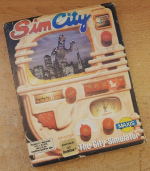 | |
| Posted by: MrFahrenheit on 2021-01-29 00:49:03 Now that you own the software, I would recommend downloading a copy from a site like Mac Garden and writing it to a new blank disk and using that. I had a copy of SimCity back in the day and I never had the copy protection issue. Of course it was also already a copy so perhaps it was cracked. | |
| Posted by: Iesca on 2021-01-29 01:13:33 While the earliest version of SimCity on the Garden is certainly an option, I would like to figure out a way to get this original copy to work, if possible. Of note is that the copy protection scheme used by my copy (1.1) and by the version on the garden (1.11) are very different (disk verification, versus a randomized code and key). I believe that by 1.2 they had removed all forms of copy protection, so maybe that's what you had been given? That was my experience growing up as well (no copy protection), and we had had a boxed copy, though I haven't been able to figure out the version as most of the materials are gone now. | |
| Posted by: jamie marchant on 2021-01-29 07:28:21 Often the DRM scheme on these games used some weird quirk of the floppie. try using a different floppy drive if you have one. | |
| Posted by: LaPorta on 2021-01-29 07:41:49 This is likely what happened: floppy got corrupted at some point. Someone initialized it. Copied SimCity back on. Didn't realize that wouldn't work by wiping out the copy protection. They either forgot or didn't care...and it wound up in your hands. | |
Posted by: BacioiuC on 2021-01-29 09:03:57This is likely what happened: floppy got corrupted at some point. Someone initialized it. Copied SimCity back on. Didn't realize that wouldn't work by wiping out the copy protection. They either forgot or didn't care...and it wound up in your hands.I can attest to the fact that this is the behavior indeed as I did the exact same thing to my copy after mistakenly initializing the wrong disk! 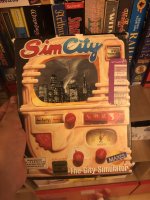 | |
| Posted by: olePigeon on 2021-01-29 13:15:54 @Challenger 1983 @BacioiuC Here're a couple disk images of my v1.1 SimCity. DiskCopy 4.2 and raw. I imaged it using my AppleSauce, but I don't know if it'll include the copy protection. If you have an AppleSauce FDC, you can copy the disk (and all its copy protection) from my flux dump in the second link. http://wreckcenter.com/68k/flux/SimCity.zip http://wreckcenter.com/68k/flux/new/SimCity_ - The City Simulator v1.1 (MAXIS SOFTWARE).zip | |
| Posted by: LaPorta on 2021-01-29 13:50:16 I'll try it too...thanks! | |
| Posted by: Challenger 1983 on 2021-01-29 16:33:37 Thanks!, I’ll try it out tonight! | |
| Posted by: Iesca on 2021-01-29 17:21:35 @olePigeon I don't have an Applesauce or Kryoflux device, but I'll take a look at the images nonetheless in a few days! Thank you! | |
| Posted by: olePigeon on 2021-01-30 13:29:55 @LaPorta @Challenger 1983 Found out it was a bad flux dump when I submitted the image. I made a new one. Should be good now. Could've been a bad sync sensor or sticky motor. It was 1 track off the entire disk for some reason. | |
| 1 |