68kMLA Classic Interface
This is a version of the 68kMLA forums for viewing on your favorite old mac. Visitors on modern platforms may prefer the main site.
| Click here to select a new forum. | |
| SE/30 HDD driver/formatting help | |
| Posted by: tommijazz91 on 2020-07-30 23:30:28 Hi everyone. I recently put a LaCie 8gb external HD into my SE/30, added the proper jumper for termination and installed various versione of system 7 in more than one partition (it has 5 partitions). A month ago the HDD didn’t mount on the desktop, but using a Zip drive I somehow managed to install the Silverlining driver (it’s what I had at that time) and it worked! It feels fast even faster than it was before. But now I have a problem: with this new driver, in order to boot from another partition, I have to select it first in the Silverlining app and then with System Picker. Aside from this, it changed the hdd icons on the desktop, added a startup text and nothing more. Is there any way to go back to how it was before without formatting the drive? I also tried Blue Disc Manager, but it was way slower. Thanks. 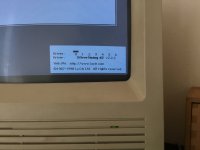 | |
| Posted by: LaPorta on 2020-07-31 00:08:49 You could possibly try removing silverlining and install Apple drivers via a patched HD SC setup. Perhaps that would make it easier. | |
| Posted by: tommijazz91 on 2020-07-31 06:31:38 I just tried with the patched version, but it sees one partition at a time (the boot partition), and the update button is not available. Moreover, I can’t boot from floppy because the floppy drive is not working well...(it mounts but doesn’t format). Any suggestions? | |
| Posted by: LaPorta on 2020-07-31 09:31:41 If it was me, I'm usually a fan of brutalist methods. Backup whatever you need to, and use HD SC setup to obliterate the drive and start from scratch with Apple drivers and formatting. | |
| Posted by: tommijazz91 on 2020-08-02 07:10:11 Guess I'll do that in the end, it also seems the cleanest and safer way to do it. Thanks! | |
| 1 |