68kMLA Classic Interface
This is a version of the 68kMLA forums for viewing on your favorite old mac. Visitors on modern platforms may prefer the main site.
| Click here to select a new forum. | |
| Color Classic Sick :( | |
| Posted by: snake88usa on 2016-02-25 21:14:07 I got this Color Classic about a year or so ago. It would start up fine but it had this weird issue with the screen being one color until it warmed up a little. I decided to pull it out today and fire it up to see what would happen. I recapped the motherboard last year also. Here is what I found out: 1. HDD Spins up, Chimes, Red Screen 2. Blinking Floppy (HDD must be dead now) 3. 15 seconds or so later, Sad Mac 0003 Turned it off and tried again: 1. HDD Spins up, Chimes, Green Screen 2. Blinking Floppy again (I think i'm going to find a floppy to boot this thing with) 3. Sad Mac again. Found a floppy, but it didn't like it. I think the version is too old. The startup and death chime started to sound a bit odd after a few attempts. Maybe just my imagination. Here is a video I recorded: https://www.youtube.com/watch?v=PywsuX_pzVY Obviously first thing I need to do is get a startup disk and see if it will actually boot from floppy. Whats with the sad mac though? | |
| Posted by: uniserver on 2016-02-25 23:19:32 sad mac is bad hard drive, hard drive gone bad. red is the pots on the rear of the AB need to be adjusted right and left and then returned to normal position. the pots are dirty. | |
| Posted by: snake88usa on 2016-02-25 23:41:33 I was able to boot from a floppy. Sure enough it wasn't able to detect the hdd. I shut it down. Took out the motherboard to look at it. Put it back in. Hdd decides to work again... Monitor went from a yellow tint to normal after running for a bit. Hard to tell, but there is some flickering that comes and goes. 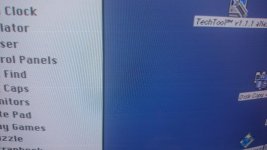 | |
| Posted by: Bolle on 2016-02-26 01:11:10 The color changes are most probably related to bad solder joints on the analog board and/or the neck board on the CRT. We just had that topic in here: https://68kmla.org/forums/index.php?/topic/26934-p560cc-screen-issue/ | |
| Posted by: mraroid on 2016-02-26 04:42:07 My color classic booted to a purple screen one day. I sprayed some contact cleaner into the pots that are used to adjust screen size. I have a tool that I can stick in the pots to turn them. After I hit the pots with contact cleaner, and put my tool in, the purple screen went away. I noted the position of each pot. Then using my tool I turned each pot all the way to the right and left several times. Then I returned it to the correct position. I am sure you have other issues (bad solder joints?). But it is easy to buy some contact cleaner and try this for starters. Just an FYI mraroid | |
| 1 |