68kMLA Classic Interface
This is a version of the 68kMLA forums for viewing on your favorite old mac. Visitors on modern platforms may prefer the main site.
| Click here to select a new forum. | |
| Date Range limitations for system OS 8.1 on Radius 81/110 | |
| Posted by: Zarkov on 2020-03-04 20:00:01 I resurrected my Radius 81/110 running OS 8.1 and found that the Date & Time system extension does not set for dates past 2019. Anybody know if there is a fix or hack to make the machine register dates past 2019? I set it for the year 2007 (I think) which shows the same day of the week on the same month date as 2020, but that's just going to show the wrong year for any new files created. | |
| Posted by: Crutch on 2020-03-04 20:36:08 Yes, known issue. See the SetDate tool here. http://www.synack.net/~bbraun/macapps.html | |
| Posted by: Zarkov on 2024-09-28 18:33:15 Thanks for that, Crutch | |
| Posted by: Snial on 2024-09-29 11:32:06 This is quite interesting then. I have the SetDate tool. However, when I use it to try to set the date to 2024 on my PowerBook 1400 under Mac OS 8.1, it just hangs the entire system. The Drive Icons on the desktop disappear; the mouse still works, but I can't click on anything and I have to reboot. I've tried switching to the US date format (from the British one), but it still has the same effect. Has anyone seen SetDate hang the system? | |
| Posted by: Big Ben on 2024-09-29 14:42:09 Yes on several systems, with different outcome, but the system always crashed in someways requiring a reboot. | |
| Posted by: LaPorta on 2024-09-29 15:00:02 Just use 2020 Patch. Works on every Mac I have (including my 1400) | |
Posted by: Snial on 2024-09-29 15:44:18Yes on several systems, with different outcome, but the system always crashed in someways requiring a reboot.Thanks, so not just my imagination! Just use 2020 Patch. Works on every Mac I have (including my 1400)OK, I guess you mean the one from this page? I'll let you know if it works for me! Thanks anyway! | |
Posted by: LaPorta on 2024-09-29 16:34:562020Patch - Macintosh GardenVintage Mac 2020 fixes Vintage Macs are now suffering from problems setting the date to 2020 and beyond, often referred to as a Y2K20 Bug. There is an existing solution, bbraun's free SetDate utility, which is functional, but not a familiar way to set the time on a Mac.
| |
Posted by: Snial on 2024-09-30 08:59:07Yes, it's the same thing! I've just tried it and it works! -cheers from Julz | |
| Posted by: LaPorta on 2024-09-30 09:52:04 Glad it is working! | |
| Posted by: nathall on 2024-10-04 20:08:52 For classic Macs running pre-System 6 that can’t use SetDate or the above patch, I wrote myself and quick and dirty Microsoft BASIC program to set the system date: 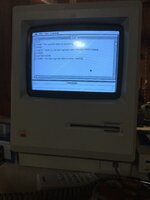 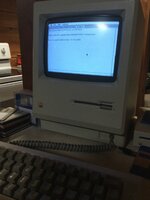 | |
| Posted by: LaPorta on 2024-10-05 05:50:27 The 2020 Patch extension works fine under System 6. | |
| Posted by: nathall on 2024-10-05 21:40:53 I said pre-System 6….. As in, Systems 1-5. 🙂 | |
Posted by: LaPorta on 2024-10-06 05:56:44I said pre-System 6….. As in, Systems 1-5. 🙂Reading better and not so fast can fix such problems on my end! | |
| 1 |