68kMLA Classic Interface
This is a version of the 68kMLA forums for viewing on your favorite old mac. Visitors on modern platforms may prefer the main site.
| Click here to select a new forum. | |
| 512K: weird keyboard issues | |
| Posted by: CharlieFrown on 2019-12-25 05:59:49 Hi, Happy holidays. I have this Mac 512k with European Qwerty M0110B keyboard (M4 M011OB). However noticed some issues: - some single keys like A D, F do not work at all, what might be the problem? These white switches need replacement or some PCB contact points need silver glue? - when I use old version of Paint (2.0) the keyboard gives me totally weird input - enter works like I, z acts like x, x acts like C, the space bar doesn't work at all, while the key next to it works like space. I checked the cable with Plus keyboard and it works just fine. Any clues would be appreciated. Thanks! 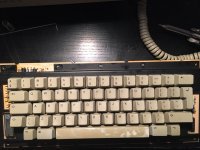 | |
| Posted by: slomacuser on 2019-12-25 07:14:45 I think it is nothing wrong with keyboard, it is probably the system you are using like US system has different key maping like International system. International had special keyboard layout control panel. | |
| Posted by: CharlieFrown on 2019-12-25 08:10:08 ok thanks Slomacuser. Here's an update: I sprayed some alcohol underneath the non working key like "A", now it's stuck typing "aaaaa" on screen like crazy and it doesn't respond to the other keys. I want to access the area under the white switch to clean it, but it's totally different than Plus keyboard. | |
| Posted by: LaPorta on 2019-12-25 08:10:48 I agree. And if some keys still don’t work at all, they will likely need to be removed, disassembled, and cleaned. | |
| Posted by: LaPorta on 2019-12-25 08:13:15 They are relatively easy to disassemble. To work on an individual switch, however, it will need to be desoldered from the board to be removed. | |
| Posted by: Crutch on 2019-12-25 08:35:18 Larry Pina’s book has some good keyboard repair tips. The key you treated with alcohol may work fine in 24 hours, that’s happened to me. A bit of WD40 sprayed into the switch can work wonders too, sometimes you need to work the switch in and out many times (eg though vigorous typing) before it really starts working normally. | |
| Posted by: CharlieFrown on 2019-12-25 09:37:18 ok cool, thank you guys. I applied some wd40 | |
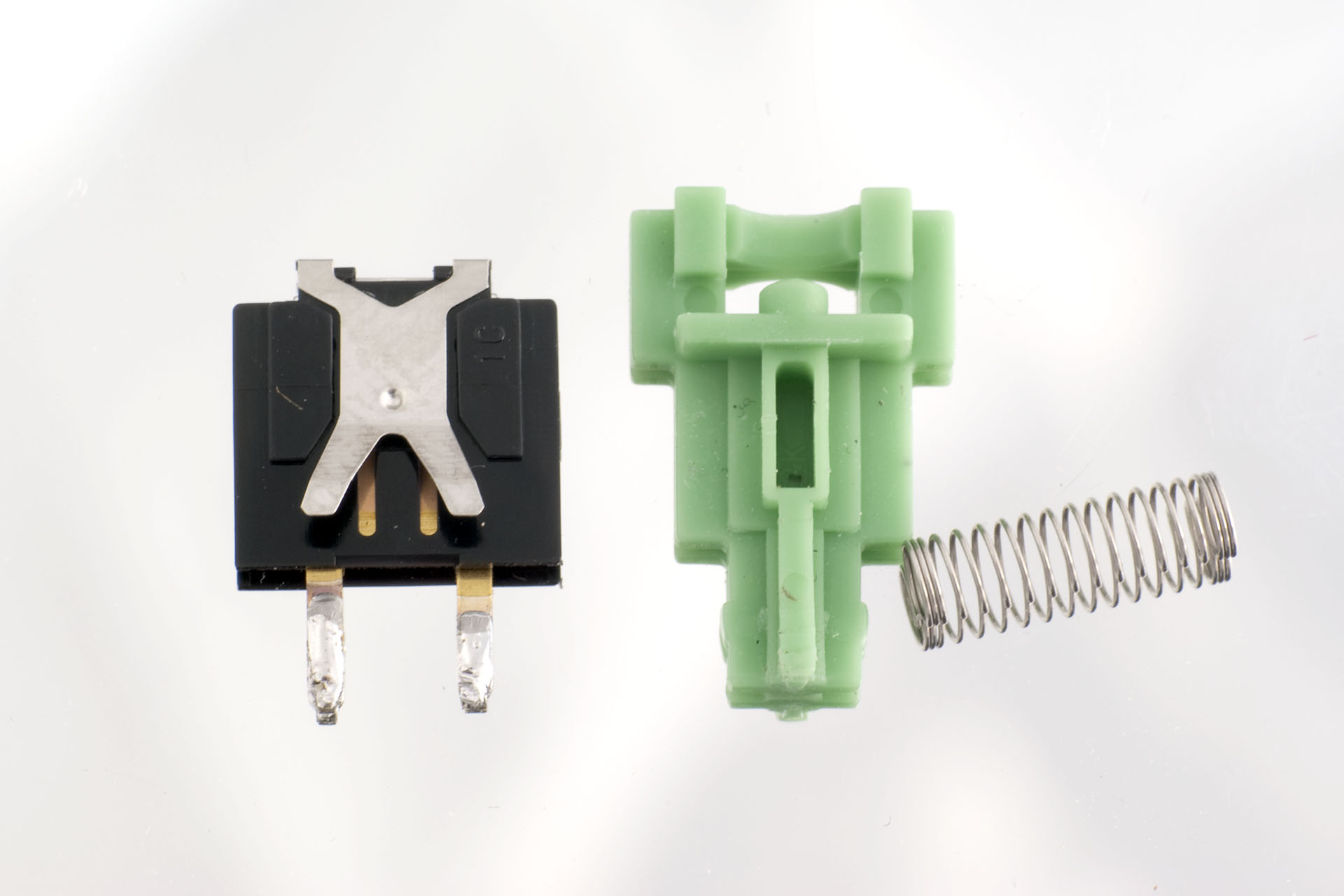
| Posted by: dochilli on 2019-12-26 04:27:53 Sometimes a little metal part inside the housing is broken. Here you can see the inside of a key: https://deskthority.net/wiki/File:Alps_tee_green_slider_plate_and_spring_2.jpg | |
| Posted by: dochilli on 2019-12-26 04:29:27 Second picture:  | |
| Posted by: dochilli on 2019-12-26 04:32:03 If I remember right it was the golden part, that was broken in my key. I repared it with thin aluminium foil. You have to desolder the key. | |
Posted by: LaPorta on 2019-12-26 10:11:04Second picture:Also, as seen in the above photo, that x-looking part is what the plastic white (or green here) key stem compresses to make the connection. A few of my keys have had the metal compressed too far back (in this photo, away from your screen towards the black backing), and the stem can no longer hit it. Bending the metal legs (the bottom of the x) slightly forward allows the stem to compress it properly and make the connection. In at least three of my keys that was the only thing wrong. | |
| Posted by: CharlieFrown on 2019-12-27 01:10:45 wow thanks for such detailed explanation guys! After WD40 treatment described by you and Larry Pina in his excellent book now all the keys work like charm. | |
| 1 |