68kMLA Classic Interface
This is a version of the 68kMLA forums for viewing on your favorite old mac. Visitors on modern platforms may prefer the main site.
| Click here to select a new forum. | |
| SCSI and Appleshare copy errors (netatalk issue?) | |
| Posted by: pcamen on 2019-11-29 16:08:57 I've got a Powerbook G3 Lombard set up with a SCSI2SD on the external SCSI. I've got a bunch of files on there on an HFS+ partition that I use frequently. I am trying to copy them up to a newly set up a2server appleshare, but keep getting copy errors on quite a few files. 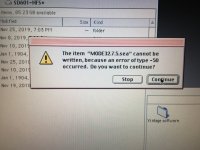 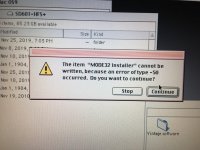 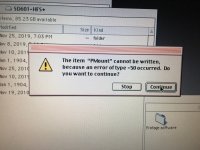 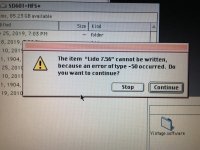 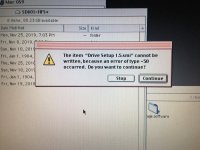 I click continue, but it just stops anyways and doesn't copy any more. If I try to copy some of the affected files singularly, it works fine in some cases, not in others. I am running Netatalk via an a2server virtual machine. I set up a separate share called MAC that is the same as the default GSFILEs share, meaning, it is set up to store extended attributes in an AppleDouble directory. I am running nettalk 2.2.4. I've also run into this same issue when copying files between two SCSI2SD devices on a Powerbook Lombard. If I try to copy the files from the SCSI2SD HFS+ partition to the built in hard drive, it works fine. If I try to copy from the built-in hard drive to the AppleShare on the a2server, I get the same issue. Anyone seen this issue before? Given that it seems to be failing on things that likely have a resource fork (executables and a Disk Copy image file) it seems related to that. But AFAIK the a2server is set up properly. I also tried copying to the GSFILES share and got the same problem. | |
| Posted by: pcamen on 2019-11-29 16:26:17 I also tried copying from the SCSI2SD (HFS+) to another SCSI2SD partition that is HFS. That worked fine. Then from the HFS partition I tried to copy to the AppleShare on a2server and got the same issue. | |
| Posted by: pcamen on 2019-11-29 16:52:06 Ah, ok, this had to do with the unix permissions on the a2server end. The .AppleDouble and .AppleDesktop files did not have the correct user and group, probably created when I first tried to copy something with a resource fork. Changing them to the default user "user1" and to 777 permissions fixed the problem. | |
| 1 |