68kMLA Classic Interface
This is a version of the 68kMLA forums for viewing on your favorite old mac. Visitors on modern platforms may prefer the main site.
| Click here to select a new forum. | |
| Xserve G4 L3 cache failure | |
| Posted by: m_emelchenkov on 2019-05-18 03:51:50 Hi! I have Xserve G4 slot-loading (https://everymac.com/systems/apple/xserve/specs/xserve_g4_1.33.html). I've noticed that Diagnostics tab of System Information shows L3 cache failure. I reset NVRAM, ran Apple Service Diagnostics and it shows L3 cache 0 bytes. I physically removed the CPU and looked at two Samsung memory chips there — it is GBA soldered. What to do, how to enable L3 cache again? Is it a software restriction (if yes, then where to enable)? But I think it is a hardware failure, who and how fixed it? It it enough to re-solder two memory BGA chips, or need chips replacement, or something else? | |
| Posted by: m_emelchenkov on 2019-05-18 03:59:36 Here an ASD screenshots. 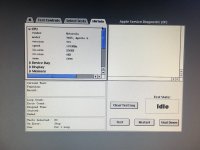 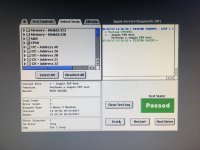 | |
| Posted by: m_emelchenkov on 2019-05-18 05:35:46 All other ASD tests passed too. | |
| Posted by: Bolle on 2019-05-18 06:56:18 Cache failures seem often to be CPU related, so swapping the cache chips itself is probably not going to help you. I have been testing a few CPU modules that reported L3 cache failure and the L3 started to work again after swapping the CPU. As MDD/XServe modules are cheap and easily available it is not worth it to even attempt this repair as you would need another CPU card as donor anyways. | |
| Posted by: m_emelchenkov on 2019-05-18 06:58:05 @Bolle, thanks for info! You saved me time and money for BGA reball. | |
| Posted by: AlpineRaven on 2019-05-18 17:16:57 What Bolle said above.. I am also looking for xserve dual 1.3ghz too Cheers AP | |
| 1 |