68kMLA Classic Interface
This is a version of the 68kMLA forums for viewing on your favorite old mac. Visitors on modern platforms may prefer the main site.
| Click here to select a new forum. | |
| Fujistsu M1603SAU Hard drives | |
| Posted by: bibilit on 2015-12-26 07:17:20 I have been given 3 Fujitsu Hard Drives (50 pin ones) and i have had no chance with either. Only one of them has what looks like a resistor pack (in a socket) Without, i have got an error message concerning no termination supplied, so i believe that probably they were in the same computer/chain and the one with the resistor was at the end and suppling termination. So far, the patched version of HD setup is unable to see any drive and Lido can see the drive, but a "no data" message is displayed on ID0, then two error messages are diplayed. I have removed the RP to test all the drives, and i have the same behavior. I can ear the HD spin but that's all. Any help welcomed. | |
| Posted by: CelGen on 2015-12-26 08:43:48 Here's the drive's Statson page. First off, I assume you have pins 15-16 on CNH1 bridged to enable termination, CNH3's 1-2 closed to power the terminator from the bus and CNH1's pins 1-6 have nothing on them to set ID 0. Also make sure CNH1's 9-10 and 11-12 are closed to default sync to disabled to and reselection retry to unlimited. Also, try a patched version of Drive Setup. Lido has never properly worked for me and I don't trust its ability to initialize volumes. | |
| Posted by: bibilit on 2015-12-26 09:35:55 Sorry Celgen, but my drive is not the one on your link, but this one: http://stason.org/TULARC/pc/hard-drives-hdd/fujitsu/M1603SAU-lt-11-1995-544MB-3-5-SL-SCSI2-FAST.html#.Vn7OcX7JZK0 Apparently two versions of he same disk were issued, mine is older, and as i said in my post, termination is supplied by a resistor pack (RP1) in the drawing. I did used the patched version of Drive Setup, but cannot detect any drive. | |
| Posted by: bibilit on 2015-12-30 09:13:46 Small update. I downloaded FWB Hard Disk Toolkit, and after some struggle with my Ibook, i was able to see the drives. 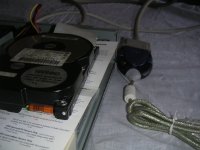 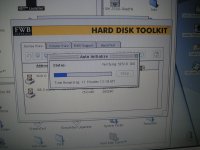 The drives were detected right away, and from the three units, i have one good (519 Mb) Formatting was quick and i soon had a new device appearing on the screen. 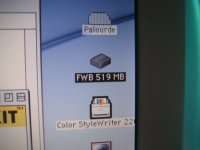 I also saved another drive at the same time...that's the point in never throwing anything away, until all has been tested. | |
| Posted by: bibilit on 2015-12-31 07:31:05 I also found that the disk icon can be changed to a more appropriate one, from a good selection: 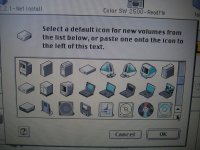 Even the TAM and the G3 AIO icons are present. | |
| Posted by: CelGen on 2015-12-31 14:59:15 Back when IconFactory still did stuff for Classic I snagged a pile of their icon sets. you can change any icon to just about anything using copy/paste. | |
Posted by: bibilit on 2016-01-01 01:15:30you can change any icon to just about anything using copy/pasteYes, of course, but it is a nice addition to have those at the same time. | |
| 1 |