68kMLA Classic Interface
This is a version of the 68kMLA forums for viewing on your favorite old mac. Visitors on modern platforms may prefer the main site.
| Click here to select a new forum. | |
| Can't get BeOS burnt properly | |
| Posted by: LarBob on 2018-09-18 17:46:24 I can't seem to get BeOS 5 burned properly so as to show the proper Mac OS part of the disk. I have tried with the bin/cue image and a toast image. I have burned with Imgburn, CDBurnerXP, PowerISO, and Brasero to no avail. Any ideas? I can't seem to find much info on this. Thanks. | |
| Posted by: Byrd on 2018-09-18 22:17:51 Does the burn fail at the end, or complete but can't be read properly on the host computer? If the latter, try burning on better quality media at a much slower burn speed, using OS X's built-in disc burning function. | |
| Posted by: IPalindromeI on 2018-09-19 12:17:50 BeOS is weird and uses two data tracks; one for the ISO+HFS part, and another for the BeFS part. Chances are your burning software might not be able to cope with this. | |
Posted by: LarBob on 2018-09-19 13:46:46BeOS is weird and uses two data tracks; one for the ISO+HFS part, and another for the BeFS part. Chances are your burning software might not be able to cope with this.Have any suggestions? I've tried PowerISO, ImgBurn, CDBurnerXP, and Brasero. | |
| Posted by: CC_333 on 2018-09-19 22:51:33 Have you tried Toast on OS 9? That might work, if you happen to have a G3 or G4 with a burner in it?? Barring that, there are newer versions for Intel Macs? c | |
Posted by: LarBob on 2018-09-20 20:47:25Have you tried Toast on OS 9?I don't have Toast for Intel Macs and I'd have to set up my iMac G4 and install OS 9 to try Toast on that so I'd rather not. I tried LiquidCD on macOS which seemed to burn fine but once again BeOS_Tools is mounted on the Mac. Is there a way to only burn the Mac portion or something? | |
| Posted by: NJRoadfan on 2018-09-21 09:20:02 A BIN/CUE image should be able to handle the dual data tracks, I think my burned copy of 5 Pro came from one. I know it works on a Mac as I installed it on my old 8600. | |
Posted by: LarBob on 2018-09-21 11:11:33A BIN/CUE image should be able to handle the dual data tracks, I think my burned copy of 5 Pro came from one. I know it works on a Mac as I installed it on my old 8600.What software did you use to burn the image with? I am trying to burn 5 Pro as well. | |
| Posted by: NJRoadfan on 2018-09-21 11:29:13 Considering it was 2000 or so, I used Golden Hawk CDRWIN (the software that originated the cue sheets). IMGBurn should be able to handle it too. I doubt I still have the original image from back in the day though. Maybe the copies are corrupt? | |
Posted by: LarBob on 2018-09-21 11:40:07Considering it was 2000 or so, I used Golden Hawk CDRWIN (the software that originated the cue sheets). IMGBurn should be able to handle it too. I doubt I still have the original image from back in the day though. Maybe the copies are corrupt?I have tried using imgburn to burn it and no dice. BeOS_Tools (the Windows track) is seen by the Mac. I have also tried a toast image and a bin/cue that I've found to no avail so I don't think it's the copies (but of course that's possible). Edit: I have now tried 3 different images from different sources and all end up with the Windows track being mounted. | |
| Posted by: NJRoadfan on 2018-09-22 08:41:56 I found my BeOS 5 Pro CD-R. The Windows track appears to include the Mac tools (at least the directories are there). This is the TOC info that Imgburn pulls from the disc. Disc Information: Status: Complete State of Last Session: Complete Erasable: No Sessions: 1 Sectors: 313,565 Size: 642,181,120 bytes Time: 69:42:65 (MM:SS:FF) TOC Information: Session 1... (LBA: 0 / 00:02:00) -> Track 01 (Mode 1, LBA: 0 / 00:02:00) -> Track 02 (Mode 1, LBA: 43697 / 09:44:47) -> Track 03 (Mode 1, LBA: 192583 / 42:49:58) -> LeadOut (LBA: 313565 / 69:42:65) Track Information: Session 1... -> Track 01 (LTSA: 0, LTS: 43697, LRA: 0) -> Track 02 (LTSA: 43697, LTS: 148886, LRA: 0) -> Track 03 (LTSA: 192583, LTS: 120982, LRA: 0) I don't appear to have the original image I used back in 2000 to make this. This copy of BeOS 5 Pro was distributed by Gobe. Looking in Ciderpress, it looks like the BeOS_Tools image is hybrid ISO9660/HFS file system as I can see long file names when I open the disc with it in a folder called "Macintosh". | |
Posted by: NJRoadfan on 2018-09-22 08:48:32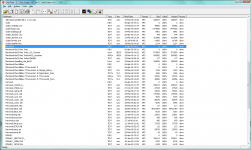 The contents of the HFS partition are the same as the ISO9600 part except for that "Macintosh" directory. | |
| Posted by: NJRoadfan on 2018-09-22 08:57:44 Here is the CUE sheet of the imaged disc. FILE "BeOS_Tools.bin" BINARY TRACK 01 MODE1/2352 INDEX 01 00:00:00 TRACK 02 MODE1/2352 INDEX 00 09:40:47 INDEX 01 09:42:47 TRACK 03 MODE1/2352 INDEX 00 42:45:58 INDEX 01 42:47:58 Here is the MD5 for the BIN file (Remember that this is BeOS 5 PRO): 4acaa0663fec22db1f28e760f4c90aec All of the above came from Imgburn's built in imager. | |
| Posted by: Von on 2018-09-22 09:35:48 I have an original BeOS 5 CD. Would you like an *.iso? | |
Posted by: LarBob on 2018-09-23 10:05:15View attachment 24777Yes, I can see that Macintosh folder but the problem is that when I launch the BeOS Launcher it doesn't detect anything bootable. | |
| Posted by: NJRoadfan on 2018-09-23 14:08:44 Is the filetype/creator set properly? If it has an icon, it should work (meaning the resource fork is intact). Note that MacOS 9 is absolutely NOT SUPPORTED FOR BOOTING BEOS. You need to install 8.x for any of the launcher or system extension to actually work. | |
| Posted by: Skate323k137 on 2018-09-23 14:48:40 I got it working once, used an old alcohol 120 on windows. That program is amazing for obsolete disc formats. | |
| 1 |