68kMLA Classic Interface
This is a version of the 68kMLA forums for viewing on your favorite old mac. Visitors on modern platforms may prefer the main site.
| Click here to select a new forum. | |
| Terminating Jaz internal drive | |
| Posted by: bibilit on 2018-05-25 00:00:44 I have been given a pair of internal Jaz drives. No information found online, is there a way to terminate those drives ? Found a way to change the SCSI ID, but no way to terminate. | |
Posted by: slomacuser on 2018-05-25 02:49:49The Jaz self-terminates; I've been using one for years without anadditional terminator and have had no problems. If you still want toterminate it all you need to do is buy a standard 50-pin terminator and connect it to the open connection. Either connection should work, top or bottom, the drive doesn't seemto care where the scsi in is.Maybe helps? suggest that if you have only one cable from host card to HD and on to the Jaz drive then make sure the HD is not terminated | |
| Posted by: bibilit on 2018-05-25 04:56:33 Thanks Janez, both for the drives and information. Well i found this information, but apparently this is for the external drive only (a switch is provided to enable or not termination) more or less the way the Zip works. But the internal drive has not this ability. | |
| Posted by: bibilit on 2018-05-26 02:07:16 Think i have found what i was looking for. The internal Jaz should be terminated, in order to do that, the cable should be provided with a termination block. https://www.manualslib.com/manual/569354/Iomega-Jaz-Drive-1-Gb.html?page=2 time to seek for that. | |
| Posted by: bibilit on 2018-05-28 05:03:14 Found the proper cable and termination block among my stuff. tested this morning, worked first try. 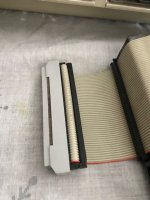 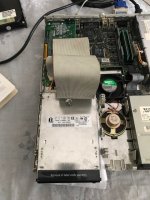 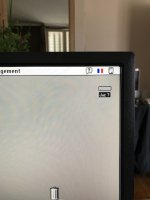 | |
| Posted by: techknight on 2018-05-29 15:33:58 Must have changed between jaz versions. Mine has the little SIP inserts. | |
| 1 |