68kMLA Classic Interface
This is a version of the 68kMLA forums for viewing on your favorite old mac. Visitors on modern platforms may prefer the main site.
| Click here to select a new forum. | |
| Trying (and failing) to create a System 7 boot drive | |
| Posted by: amstrudy on 2018-04-23 09:21:25 I have a Macintosh Color Classic that I just restored and I am attempting to create a System 7 boot drive for it. I have a "3M High Density 2.0 MB" floppy that I am writing an img file to using the dd command on Linux. I either get the error that there is no space left on the disk after a few minutes of whirring, or that the end of the device was reached. That can't be right? I feel like a 2.0 MB floppy is big enough for System 7. Anyways, when trying to insert it into may machine, some painful whirring noises occur and it eventually gets auto-ejected. Any help would be really great! I'm not sure what to do from here except to buy a pre-installed floppy online. | |
| Posted by: MOS8_030 on 2018-04-23 09:32:22 So the Color Classic is the only Mac you have available? | |
| Posted by: MikeatOSX on 2018-04-23 09:36:18 A Macintosh CC will not recognize 2.0 MB floppy disks. | |
| Posted by: amstrudy on 2018-04-23 09:42:10 I've also tried 1.4 MB disks, with the same issue. I know someone with a Mac SE, but I'm pretty sure it only runs System 6? | |
| Posted by: IlikeTech on 2018-04-23 09:52:36 No, a Mac SE runs up to 7.5.5 | |
| Posted by: amstrudy on 2018-04-23 09:55:38 Regardless, I'm kinda new to this whole world of vintage macs and I'm not really sure how to use another machine to get a System 7 boot drive. | |
| Posted by: IlikeTech on 2018-04-23 10:25:32 Download a copy of WinImage and use it to write this to a standard PC floppy and tell me if it boots. View attachment NetworkAccess.img | |
| Posted by: amstrudy on 2018-04-23 11:41:45 My computer only runs Ubuntu. I tried using wine and WinImage but it didn't work out. When using your .img, I didn't get the error using dd that stated that the disk was out of space, so that's an improvement! My CC still spits out the disk though :/ EDIT: I'm trying to use WinImage on a friend's PC and it only seems to accept .bin files. Even when I feed it a bin file it says that it's in valid. Honestly I have no idea how to use this software lol | |
| Posted by: bertie on 2018-04-23 11:50:09 Assuming you have a USB floppy drive? Try the OS6 or OS7 images from here: https://www.classic-computers.org.nz/blog/2011-12-29-disk-from-images-mac.htm They are the ones I had most luck with in OSX. Or the network image linked above. This site http://lowendmac.com/2008/creating-classic-mac-boot-floppies-in-os-x/ suggests different parameters to the dd command, so try these: dd if=INPUTFILE of=OUTPUTFILE bs=84 skip=1 | |
| Posted by: IlikeTech on 2018-04-23 11:58:06 Than you need to take apart and relube the floppy drive. There is a guide in the wiki. | |
| Posted by: MOS8_030 on 2018-04-23 11:59:29 Check this out: http://manpages.ubuntu.com/manpages/trusty/man1/hfsutils.1.html I find a lot of information about reading HFS floppies/images with Linux but not a lot about creating disks. Do you know if your image is for 800K or 1.4mb? | |
| Posted by: IlikeTech on 2018-04-23 12:01:31 DD works just fine. sudo dd if=Pathtofile of=/dev/floppynodenamehere | |
| Posted by: amstrudy on 2018-04-23 12:05:06 SHE WORKS! Somehow, WinImage did what dd couldn't. Thanks for all the help! 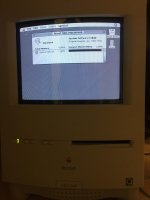 | |
| Posted by: IlikeTech on 2018-04-23 12:05:43 WOOHOO! Congrats! | |
Posted by: Retro Rider on 2018-04-25 11:36:06SHE WORKS! Somehow, WinImage did what dd couldn't. Thanks for all the help!Congrats on getting your Color Classic to work, i'm trying to make a system 6/7 boot disk for my SE/30 and have seen the guide posted above ( This ), but I haven't tried it yet, so I wanted to ask you if you just followed the guide, because you said earlier that Winimage only accepted .bin files. | |
| Posted by: amstrudy on 2018-04-25 17:23:28 Yeah, ignore what I said about the .bin files because I had no idea how to work WinImage. You can just use the NetworkImage file linked above somewhere. | |
| 1 |