68kMLA Classic Interface
This is a version of the 68kMLA forums for viewing on your favorite old mac. Visitors on modern platforms may prefer the main site.
| Click here to select a new forum. | |
| SCSI Doc and a PowerBook 100 | |
| Posted by: mactjaap on 2013-10-11 14:40:22 I recently bought a SCSI Doc PowerBook 25 to HDI-30 SCSI adapter. I successfully used it to boot my SE with the disk from the PowerBook. It boots nicely on System 7.5. Now I would like to boot the SE and use the PowerBook disk as external hard drive. How to achieve that? I rebooted….booted the SE first and then booted the PowerBook, but no success. Must be some key combination or so. Help is appreciated! 😛b: 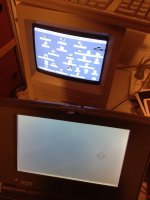  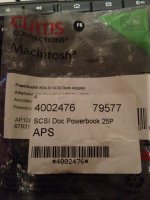 | |
| Posted by: NJRoadfan on 2013-10-11 16:41:08 Leave your connection as-is. By default the SE should be booting off of its internal drive. Double check that you have the SE's drive set as the boot device in the Startup Disk control panel. | |
| Posted by: uniserver on 2013-10-11 16:46:29 both hard drives might be set to ID0 you might have to change the ID on one of the drives. | |
| Posted by: Macdrone on 2013-10-11 17:08:21 Don't mess with ID. Check startup disk control panel as mentioned. | |
| Posted by: mactjaap on 2013-10-11 17:30:50 YES! The startup disk control panel does the trick! Thanks for your help! | |
| Posted by: Macdrone on 2013-10-11 17:37:39 Just remember even in your setup internal drives are device 0. It's what the Mac uses and understands, especially if battery (pram) is removed or dead. Just saves boot issues and such. | |
| Posted by: uniserver on 2013-10-11 17:48:35 awesome, i had assumed that he already tried that, my mistake 🙂 I guess it pays to K-I-S-S. | |
| Posted by: mactjaap on 2013-10-12 01:39:34 Now that this is solved I have another one..... Is it possible to switch of the PowerBook in this mode, other that just removing the power cable? | |
| Posted by: Macdrone on 2013-10-12 01:44:33 Command, option , cntrl and power button should shut it off. | |
| Posted by: mactjaap on 2013-10-12 02:02:12 On a PowerBook 100 is no specific power button. I tried Ctrl, Option and Command and then as power button the backspace..... That didn't work. I can switch of with the programmers and reset switch together, but maybe there is a cleaner solution. Just for information for other readers. These are the special Apple keys:  | |
| Posted by: Macdrone on 2013-10-12 06:15:47 Well after researching, restarting on the 100 series that support this is the only way out I can find. | |
| 1 |