68kMLA Classic Interface
This is a version of the 68kMLA forums for viewing on your favorite old mac. Visitors on modern platforms may prefer the main site.
| Click here to select a new forum. | |
| Powerbook 1400 | |
| Posted by: bibilit on 2013-07-30 13:32:47 Was looking for a 1400 for a long time. Found a local ad for a 1400 c /166, no PSU and nothing more than the Powerbook. A phone call later and the 1400 was mine, the lady advertised the item for spares or collector only, as there was no way it can be tested. Once home, the PSU from the Clamshell was hooked and it came to life 🙂 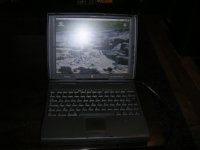 The unit is not perfect, but very clean, has 48 Mb of ram and mac OS 8 in the disk. Most of all, has the best screen of the range. Best thing, was only 10 € 😉 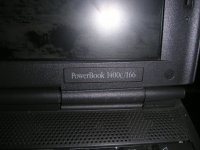 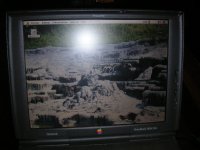 The CD is not working, tried to adjust the lens...but didn't work... no big deal. | |
| Posted by: TheMacGuy on 2013-07-30 14:26:23 Nice score! The PB 1400 is a great portable Mac. | |
| Posted by: Byrd on 2013-07-30 17:20:17 You should be able to source a replacement optical drive from a comparable PC unit of the same era - recall it used a Teac 224 drive. The 'c' screen is very nice - enough to make you not want to use a 'cs' model at all. | |
| Posted by: Trash80toHP_Mini on 2013-07-30 18:46:45 Welcome to the 1400 Club! Fabulous machines, especially the KBD. I haven't been able to get at fixing mine up or building one for a bud yet, but 1400 playtime start up pretty soon. | |
| Posted by: Macdrone on 2013-07-30 19:29:43 Ya I just found out you could stack the ram on the 1400 so I just found out I have 64 Meg's in mine now. It's sweet, and my battery holds a ten minute charge ! :approve: | |
Posted by: bibilit on 2013-07-30 23:04:50The 'c' screen is very nice - enough to make you not want to use a 'cs' model at allYes, there is a huge difference in quality compared with my 5300 CS | |
| Posted by: Trash80toHP_Mini on 2013-07-31 07:21:17 You kids are spoiled by availability. Back when they were only very expensive bought secondhand, having any PowerBook screen at all to use was a huge treat. 😉 | |
| Posted by: bibilit on 2013-08-03 03:17:11 Small update. I went looking through all my CD drives, none of them will work with the Powerbook. So this morning i removed the original one and tried to adjust the lens once again. The first attempt i only turned the small screw anticlokwise (counterclockwise) as the repair method only stated this way. But i figured out that maybe my drive can be out of adjustment on the other side...i was right, turning the screw clockwise (slightly) and the disk was mounted !! Adjusting the screw a bit more, gave me a fully functional CD drive 😉 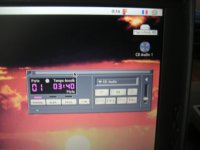 Sorry for the blurry picture. I removed the casing from the battery to have a look inside, and now the battery is detected (look at the pic) Anybody has tried a recell successfully ? | |
| Posted by: Trash80toHP_Mini on 2013-08-03 09:46:52 Command-Shift-3 Nice work with the fix. | |
| Posted by: techknight on 2013-08-04 20:47:13 Eh. I was always against the "turning the screw" fix, because it really isnt a fix. eventually itll run the laser diode into the ground and there will be no recovery. 🙂 Ive seen alot of high-end collectable CD players ruined this way. | |
Posted by: bibilit on 2013-08-05 06:35:47eventually itll run the laser diode into the ground and there will be no recovery.I agree, but for me the drive was dead anyway | |
| 1 |