68kMLA Classic Interface
This is a version of the 68kMLA forums for viewing on your favorite old mac. Visitors on modern platforms may prefer the main site.
| Click here to select a new forum. | |
| Mac Classic Display Repair | |
| Posted by: Vorbosh on 2015-10-05 18:05:11 I have a Mac Classic that I purchased in 1991. It was my only computer till 1998 when I placed it in its carrying bag and stored it in a closet. Sometime in the 2000s I started it up successfully. On the next attempt I think a question mark came up. Over the weekend I tried to start it up and heard the floppy spin along with the HD. No bong sound though. Turning the brightness up showed a thin horizontal line about 5 inches long. I've attached the image. I have the case open and there's no obvious damage. So I don't have the heart to trash this link to my past. I'm going to trouble shoot the display first. I've read enough to know that I need to discharge the CRT. I'd like to ask where you think I should start troubleshooting 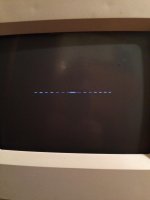 | |
| Posted by: Macdrone on 2015-10-05 18:51:38 Do a search on capacitor replacement or repairs. There are people on here that will do if for a nominal fee like Uniserver. nothing can be checked until that is don't. Classics are to my knowledge one of the worst for bad caps. | |
| Posted by: Vorbosh on 2015-10-05 19:20:42 Thanks. I guess I'm looking for guidance on which capacitors to start replacing or should I start with cleaning the yoke connector plug. | |
| Posted by: uniserver on 2015-10-05 19:31:19 here is a great picture , from a thread on this forum, of the caps that are always completely shot to heck. /monthly_09_2014/post-2052-0-14256600-1409837928.jpg">View attachment 4037 in your situation, i am sure the caps are toast, but looks like there might be more bad in this instance. but as everyones says change all the caps first. | |
| Posted by: bibilit on 2015-10-05 23:48:10 I agree, have spent most of a weekend repairing a pair of Classic : 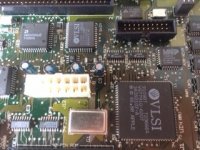 First step is to clean the board, remove and replace capacitors. Then the ones from the analog board: 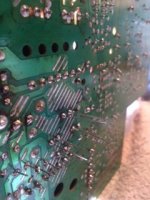 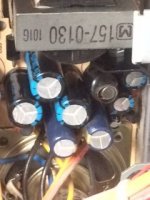 here are the old leaky ones. 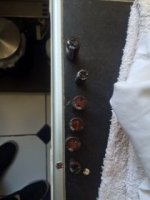 And you will probably end with a working unit: 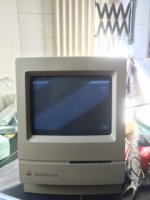 | |
| 1 |