68kMLA Classic Interface
This is a version of the 68kMLA forums for viewing on your favorite old mac. Visitors on modern platforms may prefer the main site.
| Click here to select a new forum. | |
| LC, chime but no video | |
| Posted by: mwdmeyer on 2015-07-11 01:11:38 Hi All, I've got a dead LC that I am trying to fix, but I'm not having much luck. When I purchased it, it never worked, but I've started trying to repair it. Previously it wouldn't even turn on. I replaced the 4 filter caps in the PSUs and the system would now chime but no video. The sound would squeal. So I assumed that the motherboard caps needed replacing. I've just finished that and while the system still chimes (and no longer squeals!) there is no video on the screen. My soldering skills aren't the best so it is possible something is still wrong with the caps. I've got a new PRAM battery installed, no FDD/HDD installed. If I quickly flick off the power and then back on again sometimes I get a quick white flash on the display, it did that even before I replaced the caps. So I'm not really sure where to look. Are there specific video caps that I should recheck? Any other ideas?! Thanks! I've also got a LCIII that doesn't chime or display video at all, so I'll start recapping that soon, but would love to get the LC working first. | |
| Posted by: uniserver on 2015-07-11 04:37:18 So is this a LC or a LC 475? The power flip trick only works with the Quadra 605 , LC 475 , Power Mac 6100 , If it's an LC just an LC and you don't have any v RAM installed, you're not going to get any video whatsoever . That with the LC three the beauty of the LC Iii is that it will work because it has VRAM and ram all soldered onto the motherboard . And yes I'm sure your LC three needs a recap just like everything else . | |
| Posted by: mwdmeyer on 2015-07-11 05:35:18 Thanks for the reply. The dead LC is just a plain LC (68020). I've got a vram stick in, so it should work. It is odd that the audio chime has improved since recapping but still no video. Maybe it is my LCD or adapter (works on My PowerMac G3 though). Yes I plan on recapping the LC3 soon as I think that will be my favourite machine (I really hope I can get it working). 🙂 I just recapped half of my color classic but that doesn't even turn on! Not having much luck with these machines 🙁 | |
| Posted by: Elfen on 2015-07-11 06:19:13 If you are using an Mac to VGA Adapter, those might not work on an LCD Display. In most cases they wont. If you have an old Multisync Monitor, it would be a better choice to use on the LC Also, the VGA adapter on the LC must be set to: 640X480, H-Sync & V-Sync On, and Composite of Green. It should 4 or 5 switches to set. You stated that you have no Floppy or Hard Drive on the system. Put on in, even with the no-video situation. If the drive begins to boot even with no Video, you have a working LC. The problem is to get the video to work, which I believe I answered above. Unfortunately, I have an LC475 that Bongs but does nothing after that - no video, no boot from any drive. I was hoping for maybe finding an answer from another's experience. | |
| Posted by: uniserver on 2015-07-11 06:32:55 well post a picture of your LC main board, and a picture of your DB15 2 VGA adaptor. The LC 1, does play nicely with VGA mode with most DB15 to Vga adaptors…   http://cache-www.belkin.com/support/dl/mac-vga_9_dipswitches.pdf oh i just found JT's thread… oh dead pictures again… https://68kmla.org/forums/index.php?/topic/15929-video-adapter-docs-scan-dump/ | |
| Posted by: mwdmeyer on 2015-07-11 14:48:47 Interesting. My vga adapter doesn't have any dip switches. Maybe this is the issue! From what I've just read the dip less ones are okay for newer machines but not the LCs! Thanks ill see if I can get a real one 🙂 | |
| Posted by: Elfen on 2015-07-11 19:02:07 Check it carefully. Some have a door that is hard find and hard to open unless you got finger nails. Send over a pic of it. | |
| Posted by: mwdmeyer on 2015-07-15 06:17:04 Yes no switches or anything. It is a really basic model. I'll get a picture later. I suspect this is the issue and/or the LCD. The adapter works in my G3 with the same LCD but the resolution is different. So I've ordered a new adapter, so hopefully that will get it going. The system chimes really nicely now and the network light comes on and it seems to power up correctly. I wonder if there is anything I can press on the keyboard to test 🙂 No HDD or floppy drive though.... For such a slow machine I suppose Mac OS 7 or 7.1, probably not much point using 6? | |
| Posted by: Elfen on 2015-07-15 07:51:28 The problem is the monitor syncing to the Mac Video which is on an odd-ball frequency. Most Multi-Sync CRT Monitors can handle it if the wiring (through the dip switches) are set correctly. For Basic Video (which the LC has) You need to get an adapter with switches and set it for 640X480 with H-Sync, V-Sync and Composite-on-Green turned on. Many older LCD Monitors can not handle the Mac Video Frequencies. I have a couple LCs with one running System 6 and the other System 7. A few programs (like ComicWorks that I have) crashes on System 7 but works great on System 6. With no Floppy or Hard Drive, when you get a screen working, you will see the Flashing "?" in the Disk Icon, so moving the mouse or typing on the keyboard will do nothing. At least the you have the network card flashing, so the system is working. But for the network, System 7 would be better. | |
| Posted by: SuperToaster on 2015-07-15 12:52:34 Before I buy an adapter to VGA for use on my LCD displays and my LC III will it even work? I have 3 monitors. Can someone give me advice about these working on LCD displays? | |
| Posted by: Elfen on 2015-07-15 16:27:19 I do not know about the LCD Monitors you have. There are various posts on putting an LC series on a LCD Monitor, so make the Forum Search your friend. But if you get the one that Uniserver posted, it should be a breeze to set up. Again, every depends on the LCD Monitor itself. (I hear that some Dell LCDs to work on Macs with the adapter.) What are your monitor(s) brands? Read this, which I found on the forum search: https://68kmla.org/forums/index.php?/topic/11737-good-640-x-480-lcd-to-use-on-iici/?p=258905 | |
| Posted by: SuperToaster on 2015-07-15 19:14:59 Well I have 2 dell monitors ones a really old one from 2000 and the other is from 2007, the other monitor is a LG I bought in 2012. I think I should be set but I'll still do more research on the matter | |
| Posted by: mwdmeyer on 2015-07-16 02:32:38 I got it working! Tried a CRT and 4 LCDs, finally found one that works. So it looks like the adapter does work and was an issue with the LCD supporting the resolution. So I'm pretty happy, the recap worked! So very very cool. Now to find an HDD. I want to purchase one of those SCSI2SD things, but pretty expensive. 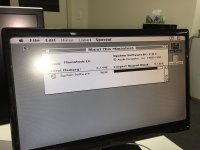 | |
Posted by: mwdmeyer on 2015-07-17 21:17:06I just recapped half of my color classic but that doesn't even turn on! Not having much luck with these machines 🙁Got it working! Just flushed the motherboard with this stuff: http://www.isocol.com.au/products/isopropyl-alcohol It now powers on straight away and actually works. I just finished recapping it now and still boots, although HDD is dead. So that is 2/2 success so far 😀 | |
| 1 |