68kMLA Classic Interface
This is a version of the 68kMLA forums for viewing on your favorite old mac. Visitors on modern platforms may prefer the main site.
| Click here to select a new forum. | |
| Three Bad PowerBooks - All Display Problems | |
| Posted by: Scott Baret on 2010-08-17 20:02:58 Now that my PowerBook 180c is up and running and my PowerBook 150 has been broken in as a tutoring machine, I feel it's time to solve some problems with displays on older PowerBooks. Up first is a PowerBook 140. I was going to sell this one, but in the end got no takers. I figured I could refurbish it, especially given its small size, and use it as a second tutoring machine. However, it has a problem with the display. The display flickers constantly and divides itself up into four equal quadrants. The top two are brighter than the bottom two. It's possible to see what's on the screen but this wouldn't be a computer I'd want to use because of this flickering. There's a photo of this, but it's a bit hard to see here. This computer also needs a hard drive, although I'm considering using it with a RAM Disk-equipped floppy startup instead since the programs I'd likely run on it are all floppy-based (and because I don't have many 2.5" SCSI drives). It does boot from a floppy--have tried it with 7.0.1. 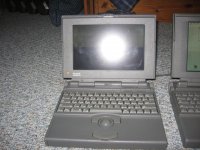 Next is the PowerBook 150, which some of you may remember as my Retrochallenge machine (used in tutoring sessions). It has a yellow line on one area of the screen. I have a picture of this one too, as it's tough to explain. The screen works normally otherwise and the machine is usable. 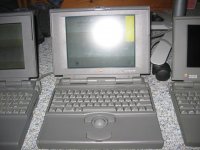 Finally, there's a PowerBook 100. This one doesn't produce any video. The screen turns a bluish tint but nothing is visible. The machine itself appears to work--it attempts to access the hard drive (which doesn't spin up and sounds like one of the unreliable Conner drives--I've seen many of these fail in PowerBook 100 series machines). I took a photo of this one for good measure. 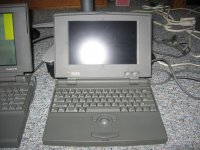 Any suggestions on these three machines would be great. Also, the 140 and 150 are both missing the little grey circular pieces that cover the screws in the display bezel. If anyone has a few extras they'd be willing to sell let me know! | |
| Posted by: MacJunky on 2010-08-19 13:59:15 Just toss the LCD panels and replace them. My PB160 has a display from a 145 because the 160's stock one went orangey yellowy. 🙁  | |
| Posted by: Bunsen on 2010-08-19 14:52:29 But... I like orangey yellow xx( PowerBook 140. / has a problem with the display. The display flickers constantly and divides itself up into four equal quadrants. The top two are brighter than the bottom two.Possibly a cable/connector/solder issue? PowerBook 100. This one doesn't produce any video. The screen turns a bluish tint but nothing is visible.Failed backlight? If you shine a bright light up close to the screen, is anything visible? | |
| Posted by: techknight on 2010-08-20 18:34:30 Did anyone ever rip these LCD displays apart to see if there was SMD Electrolytics on the DC-DC boards of the panel? Just curious. might be the reason for all the issues. besides of degradation of the liquid crystal over time. | |
| Posted by: MacJunky on 2010-08-20 20:26:14 Scans incoming. One moment please. 🙂 *Edit This is that orange one from my PB160. (be warned, these images are 1.3MB and 1.5MB) SHARP LM64P58 Back: http://poopr.org/images/vxew0g00lc55c4gebgg.jpg Front: http://poopr.org/images/v6txkkkog8hcjuie5tk8.jpg *Edit Ok, these closeups of the caps are better (355KB & 420KB) http://poopr.org/images/saz1r6z540apx48yk26.jpg http://poopr.org/images/c44bb8b4hf503cquxlpd.jpg Look at those solder joints. :S | |
| Posted by: techknight on 2010-08-21 11:15:40 there you go. those caps are toast. replace them, i bet the screen will be ok. As far as the DC-DC module goes, it looks doped in epoxy, so I dont know if there is any electrolytics under there or not. if they are, then the easiest is to either replace the screen or take measurements from a working one to figure out a new design for the DC-DC circuit. (my specialty) | |
| Posted by: Franklinstein on 2010-09-05 11:08:54 Most of those problems seem like internal display issues, except maybe the PB 100 (logic board caps or failed contrast/brightness potentiometers). If recapping the LCD's control board and touching up some of the other solder pads doesn't help, I'm not sure you can resurrect them: LCDs often use either a strip of conductive rubber, or ribbon cables bound straight to the electrodes on the glass. Sometimes fiddling with the conductive rubber strips works, but often it's degraded and nothing can fix it. The ribbon cables can be a tough fix, depending on whether they're rubber or metallic traces: the rubber ones break down, and the metallic ones are difficult to re-attach permanently. I'm not even 100% on how the manufacturers get them to stick on there in the first place. I've tried applying heat and pressure, but that never improves anything (and sometimes made it worse). | |
| 1 |