68kMLA Classic Interface
This is a version of the 68kMLA forums for viewing on your favorite old mac. Visitors on modern platforms may prefer the main site.
| Click here to select a new forum. | |
| Atto Silicon Express IV - Causing system errors | |
| Posted by: Megatron-uk on 2014-09-09 11:48:27 Just fitted this card to my IIci - was hoping to move my Aztecmonster + CF drive over to it at some point for faster IO, but for the moment the CF card is still running on the internal IIci SCSI bus... PRAM has been zapped and regardless of whether I have anything plugged in to the SE IV or not, whether it's terminated or not, whether I boot with extensions disabled or not... it causes a "Sorry a system error occurred - unimplemented trap - please reboot with extensions disabled" just after "Starting Mac OS" (7.6.1 is on the CF card). Every single time I boot. Rebooting with extensions disabled, or even from a basic 7.1 install floppy, the same thing every time. Anyone else out there with one of these cards or come across the same issue? | |
| Posted by: Megatron-uk on 2014-09-09 12:36:33 Ok, trying to 'hot flash' this card - booting without the EPROM in place, it starts up fine, but the card clearly not detected. I'm trying to flash it using the files here: http://www.fenestrated.net/~macman/stuff/SiliconExpress/ The 1.65 package says there's nothing to update when I force flash it (hold shift - enter the slot number, i.e. $0C). There's a 2.1rc2 download, but it's just a single .bin file when unzipped. No resource fork, so how do I run it? | |
| Posted by: olePigeon on 2014-09-09 13:04:43 Use the SiliconExpress Updater utility to upload the .bin ROM file to the card. | |
| Posted by: Megatron-uk on 2014-09-09 14:10:43 That can't be right - the .bin file that comes out of the 2.1rc2 zipfile is ~100KB in size (almost precisely the same as the Updater utility in the 1.65 driver package), there's no way the EPROM is that big. At a guess It's probably no more than a few kb. Unless of course it's reprogramming the main Xilinx FPGA's onboard the card.... but I would doubt it. There don't appear to be any options to speak of with the 1.65 Updater utility when you run it - nothing from the menu that appears to give the ability to change while rom file it is uploads. The only thing it appears to allow you to do is hold space after clicking it in order to force a Nubus slot number. | |
| Posted by: Megatron-uk on 2014-09-09 14:40:51 Ah, my fault. The zip was being unpacked with MacZip, rather than Stuffit Expander. With Stuffit it retains the file type and it runs like the old 1.65 Update utility... however, I can't seem to get it to update. My card is in the further slot away, labelled as Slot C on the motherboard. I've tried entering the following: $0C = "No Silicon Express IV card were updated" 0C = "Application 'unknown' unexpectedly quit due to error -1" C = "Application 'unknown' unexpectedly quit due to error -1" | |
| Posted by: Megatron-uk on 2014-09-09 15:00:32 Here's an image of what I get for both update utilities using slot = $0C. As a reminder, I have to remove the EPROM chip for the IIci to boot, once it has booted, I'm refitting it. The update tool *should* work with this, as detailed here: http://www.applefritter.com/node/5363. 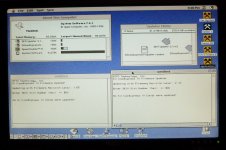 | |
| Posted by: olePigeon on 2014-09-09 16:03:04 Do you have any other cards installed? | |
| Posted by: techknight on 2014-09-09 17:42:42 if you had an eeprom programmer, you could dump and then erase the eeprom. Or just reprogram the eeprom. Its possible the controller itself is bad? | |
Posted by: Megatron-uk on 2014-09-10 04:03:26Do you have any other cards installed?Yes, I have a Powercolour Pro 24XK and Farralon EtherMac II in 0E and 0D, respectively. I can try booting without them, to see if that makes any difference. | |
Posted by: Megatron-uk on 2014-09-10 04:06:01if you had an eeprom programmer, you could dump and then erase the eeprom. Or just reprogram the eeprom. Its possible the controller itself is bad?Yes, but it's an old parallel port one - I don't think I've got anything current that I can run it from. Up until a year or two ago I kept an old Pentium IV box running XP just for running the programmer from. | |
| Posted by: olePigeon on 2014-09-10 08:33:33 I'd give it a go without any other cards installed. Wouldn't hurt. | |
Posted by: trag on 2014-09-10 09:11:43Yes, but it's an old parallel port one - I don't think I've got anything current that I can run it from. Up until a year or two ago I kept an old Pentium IV box running XP just for running the programmer from.The parallel port on the Legacy Port Replicator for the D and E series Dell Latitudes will work with chip programmers -- or at least, with my parallel chip programmer. A long shot, but if you have one of those laptop models, it might be worth picking up a $20 used docking station. | |
Posted by: Megatron-uk on 2014-09-10 13:18:39I'd give it a go without any other cards installed. Wouldn't hurt.Ok, removed all cards apart from the SE-IV - the onboard video won't drive my lcd so I wasn't able to observe the onscreen behaviour, but, from observing the HDD light it appears to do the same thing as before - an initial few disk reads (which gets you to the 'Welcome to Mac OS' logo) and then nothing more. Normal behaviour is a few flashes to get the logo, a pause of 2-3 seconds then sustained disk activity while the extensions and desktop load. | |
| Posted by: olePigeon on 2014-09-10 13:23:54 Unfortunately, I'm out of ideas. | |
| Posted by: Megatron-uk on 2014-09-10 13:32:37 Well, unless I can work our some way of hooking up my eprom programmer, it looks like I'm out of luck on this one. I have a couple other Macintosh/Apple systems, but the next oldest is a Beige G3, which of course has no nubus slots. | |
| Posted by: olePigeon on 2014-09-10 14:05:15 Just FYI, my FWB JackHammer SCSI card freezes the computer if it is not properly terminated (with or without a device connected to the SCSI chain.) I had to buy a ribbon SCSI terminator and terminate the ribbon cable on the internal 50 pin SCSI connector to get my computer to boot with it installed (but not connected to anything.) So it might be worth checking your termination again, trying different active terminators just incase one you're using is broken. | |
| Posted by: Megatron-uk on 2014-10-06 03:40:51 Just to update - I haven't had a chance to try different termination yet. I have a couple of passive terminator blocks, but no active ones. I'll give them a go first and if it doesn't work, try to pick up an active terminator. If that doesn't work, then it's probably into the 'box of bits' it goes... until I can get one of my old PC's resurrected to get my eprom reader/programmer working again. | |
Posted by: Trash80toHP_Mini on 2014-10-06 06:15:57Yes, I have a Powercolour Pro 24XK and Farralon EtherMac II in 0E and 0D, respectively. I can try booting without them, to see if that makes any difference.Did you have a third card in there before installing the SCSI Card? If you haven't recapped the board a/o PSU? That'd be my guess. The pet IIfx runs fine, but flakes out (symptom: can't do a scree-shot/CoPro error) with a NuBus "Full House" installed. It's recap time for my puppy. 😉 | |
| 1 |