68kMLA Classic Interface
This is a version of the 68kMLA forums for viewing on your favorite old mac. Visitors on modern platforms may prefer the main site.
| Click here to select a new forum. | |
| My White Whale of 90s Apple Software: Macintosh Print Pack | |
| Posted by: Ajaxermd on 2023-10-23 05:48:02 OK, so a while back I tried to recreate the front of the box from the very blurry image that I posted above. I decided not to use it. in some other cases with much higher resolutions I've been able to use AI programs to help up-res the image, but this one is simply too blurry. Here was the image, but again it's a recreation from a very blurry source image. I'm still waiting for a higher quality source image. 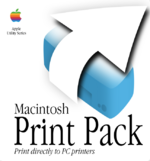 | |
Posted by: Ajaxermd on 2023-10-23 05:55:02Converted.Beautiful! Thanks so much for converting it and to Dougg3 for finding it originally. | |
| Posted by: Ajaxermd on 2023-10-23 05:58:15 If anyone is ever interested in printing their own box I have digital recreations of the following boxes. 13 of them never existed in "real life". See if you can figure out which ones? 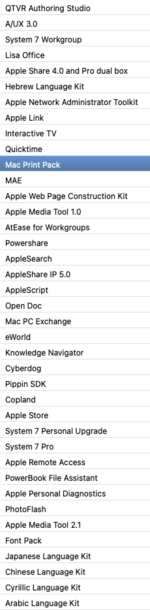 | |
| Posted by: dougg3 on 2023-10-23 06:36:57 That looks great! Nice job! | |
Posted by: MrFahrenheit on 2023-10-23 07:51:31Converted.If you use classic Mac OS, with the fonts installed that Apple includes on those ARPL CDs, you can use the LaserWriter print driver to save the print job out as a .ps file. Then you can bring that .ps file into Preview on Mac OS X and save that out as a .pdf, with the correct fonts, spacing, and everything. I do it all the time with some US CBP documents I have to transfer as PDF that source out of HyperCard on Mac OS 9. | |
| < 3 |