68kMLA Classic Interface
This is a version of the 68kMLA forums for viewing on your favorite old mac. Visitors on modern platforms may prefer the main site.
| Click here to select a new forum. | |
| Fun with remote management: Controlling SE/30 from macOS Sierra | |
Posted by: jrwil on 2018-02-22 08:53:22Wow! But is there a way to make it work in High Sierra?What happened when you tried it? | |
Posted by: ktkm on 2018-02-22 09:25:22And why wouldn't it just work? It's true you never know with Apple, but according to the support site (it's an Arris product and discontinued too...) version 8.x only supports up to 10.10 so if it supports 10.11 then it's likely that it would work in 10.12 barring specific evidence otherwise.I had no problem with Sierra … What happened when you tried it?… in High Sierra, this happens (see attached images). 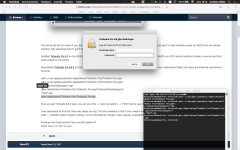 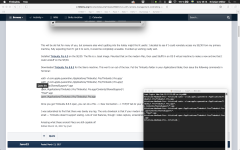 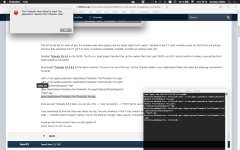 | |
| Posted by: beachycove on 2018-02-22 11:57:12 Running A/UX on the SE/30, and with a little work on the A/UX side, you could also apparently use SSH from the Terminal in OSX to do things that-a-way, command line style. I'm not sure how far that ability goes up the OSX food chain, but I have read about someone doing it in 2008, at any rate. | |
| Posted by: Cory5412 on 2018-02-22 12:05:28 SSH still exists, but Telnet is gone from Mac OS X (although you can put it back in, sort of). SSH on the newest Macs (Sierra 10.12 and newer I think) requires some newer components than what A/UX will likely have, but you could set up an older machine to SSH into and then SSH from that into the A/UX box. | |
Posted by: jrwil on 2018-02-22 19:15:46in High Sierra, this happens (see attached images).I've heard of High Sierra breaking other apps. This one could be a casualty as well. Since the error is related to the Host application, I would check the path to it in the app package to make sure it's not different in High Sierra. | |
| Posted by: CC_333 on 2018-02-23 07:58:52 Did you check that the filesystem on the startup drive is HFS+? I believe that if the main drive is an SSD, HS will automatically convert it to APFS, and I think that's part of what's breaking stuff (most older software is probably hardcoded for HFS+, and breaks when the filesystem is something else). Also, I don't know if it's starting yet, but I think Apple is going to start deprecating 32-bit programs, either in 10.14, or in some update for 10.13. Nevertheless, since Sierra has updates for ~1.5 years more, and this software apparently works okay on it, you can fall back to that and probably still be relatively safe if HS doesn't work out. c | |
Posted by: ktkm on 2018-02-23 09:03:02Did you check that the filesystem on the startup drive is HFS+?You’re probably right about Apple File System being the culprit … Mini vMac won’t boot either … :-( The MacBook is new from my office so I believe downgrade is not possible? Thank god I still have my old one left with Sierra running. Thanks! | |
| Posted by: CC_333 on 2018-02-27 09:53:44 Well, HS was released in 2017, so if it's a 2017 MacBook, then it's probably not downgradable. However, if it's from 2016, then there's a chance you could. If you have another Mac running Sierra, I guess you could try putting it in target disk mode and booting your MB from it? It wouldn't hurt to try.... Alternatively, maybe you can find a way to reinstall HS, forcing it to format the install drive as HFS+. You're not the only one having this problem, so I'm sure workarounds exist. c | |
| Posted by: IlikeTech on 2018-03-01 04:49:10 Check the Mini vMac site for the command to fix it. | |
Posted by: ktkm on 2018-03-03 13:36:19Check the Mini vMac site for the command to fix it.I’ll check it out! Thanks! | |
| Posted by: cheesestraws on 2020-04-21 14:04:28 A very belated note: controlling Timbuktu Pro 3.0 also works from version 8, and 3.0 will work with 7.0/7.1. | |
| Posted by: Byte Knight on 2020-04-21 21:00:42 This is so cool - I never knew this even existed! I had it up and running in under an hour with the detailed instructions. | |
| < 2 |