68kMLA Classic Interface
This is a version of the 68kMLA forums for viewing on your favorite old mac. Visitors on modern platforms may prefer the main site.
| Click here to select a new forum. | |
| Macintosh PowerPC 4400/200 Video Problems | |
| Posted by: Fizzbinn on 2024-07-27 15:03:12 Back to your adapters have you tried other resolutions that you would expect/know your LC monitors to support? I would think that they should support Mac 640x480 67Hz but maybe they only do VGA modes? I use a 15" NEC MultiSync LCD1550V, normally with a Griffin Mac PnP adapter set to MultiSync 16" for Mac's akin to the 4400. However I do have a ViewSonic VMAC-1 adapter as well (is the one you have?). Testing with it set to Multi-res and default sync (1,4,5,7,8,9,10 on) I get video on boot but upon reaching the desktop I get an "Out of range" message from the NEC monitor. I changed the settings to 1024x768 75Hz (1,2,7,8,9,10 on), which is the native resolution of this NEC and it booted and displayed fine. | |
Posted by: aladds on 2024-07-28 05:49:38I found the CUDA button - depressing it for 20 sec. with the machine unplugged does nothing. I am convinced the 12" CRT is bad, which leaves me with the Macintosh VGA adapter and a LCD. I can't get a video signal at 640 x 480.Plug the machine in, press the CUDA button once (don't hold it) and then press the power button within 5 seconds | |
Posted by: budghiss on 2024-07-28 12:00:42Back to your adapters have you tried other resolutions that you would expect/know your LC monitors to support? I would think that they should support Mac 640x480 67Hz but maybe they only do VGA modes?Awesome - I will look into this monitor. I have tried the 640x480 on both of them, as well as the VGA modes - no dice. But I will look for the NEC and Griffin Mac PnP adapter. Also, since I am down to monitors and adapters, and someone commented earlier, but if I purchase a PCI ATI Rage LT for Mac, will it default video out the PCI card? Or does that need to be configured in the OS w/ the on board video in order to work? | |
Posted by: budghiss on 2024-07-28 12:35:20Plug the machine in, press the CUDA button once (don't hold it) and then press the power button within 5 secondsOk - thank you - I tried this to no avail - I think the video out is bad, if I had to guess... | |
| Posted by: budghiss on 2024-07-28 12:37:09 Ok, so let's assume the video out on this machine is not working. Can I add a PCI card (ATI Rage LT for Mac) and redirect the video? Or does this PCI card need to be configured through the onboard DB15 video in order to work? | |
| Posted by: Fizzbinn on 2024-08-02 11:24:54 I was able to test an ATI Rage 128 PCI card in my 4400, with nothing connected to the on-board video, and my NEC MultiSync LCD1550V connected directly to the Rage card, it all worked fine. This is under Mac OS 8.6 but I don't think that matters much, I think the 4400 is able to tell nothing is connected to the onboard video and make the PCI video card with a connected monitor the the primary display. 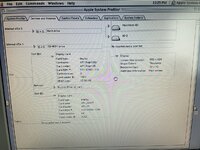 | |
| Posted by: nathall on 2024-08-03 20:22:33 Going back to at least the IIsi, logic board can tell when nothing is attached to onboard video and will make any expansion card primary if there is a display attached. | |
Posted by: imactheknife on 2024-08-06 11:52:57Going back to at least the IIsi, logic board can tell when nothing is attached to onboard video and will make any expansion card primary if there is a display attached.If the l2 cache dimm is on its own card, pull it. Sometimes dead cache cards can cause this exact behaviour | |
| Posted by: Performa450 on 2025-06-20 01:25:26 I've just upgraded the RAM in my 4400/200 and spent a good half hour pulling my hair out. I got what I thought was a correct 64 MB DIMM, but found it wouldn't work in either dual bank slot without a DIMM in the other dual bank slot. I had: 16 MB DIMM in slot 1, 64 MB DIMM in slot 2 = black screen 64 MB DIMM in slot 1, 16 MB DIMM in slot 2 = boots with 48 MB recognised (expected) 16 MB DIMM in slot 1, 8 MB in slot 2, 64 MB in slot 3 = black screen 64 MB DIMM in slot 2 = black screen and finally: 64 MB DIMM in slot 2, 16 MB in slot 3 = 80 MB RAM (and vice versa - hooray!) 16 MB in slot 1, 64 MB in slot 2, 8 MB in slot 3 = 88 MB RAM | |
Posted by: Garrett B on 2025-06-20 06:04:21I've just upgraded the RAM in my 4400/200 and spent a good half hour pulling my hair out. I got what I thought was a correct 64 MB DIMM, but found it wouldn't work in either dual bank slot without a DIMM in the other dual bank slot.When you get the black screen, is this with onboard video or a PCI video card? I am currently only able to get video out using a PCI card, and am curious what your setup is. I may have similar memory issues! | |
Posted by: Performa450 on 2025-06-20 07:17:11When you get the black screen, is this with onboard video or a PCI video card? I am currently only able to get video out using a PCI card, and am curious what your setup is. I may have similar memory issues!I have the onboard video only. | |
| < 2 |