68kMLA Classic Interface
This is a version of the 68kMLA forums for viewing on your favorite old mac. Visitors on modern platforms may prefer the main site.
| Click here to select a new forum. | |
| System Saver And Hard Drive Enclosure | |
| Posted by: Trash80toHP_Mini on 2018-09-30 23:30:28 Noticed you took pics of the switch in three settings. If A0-A2 were unshorted, it was likely "set" as SCSI 0 boot disk for a Plus? | |
Posted by: CC_333 on 2018-10-01 00:46:44Clear windows were commonly used to install/remove SIP termination resistor strips.So that's what the window's for! I have a couple drives similar to this one, and they have that window. I've often wondered what they're for. Now I know [🙂] c | |
| Posted by: LaPorta on 2018-10-01 02:43:40 I had an Ehman external HD back when (power supply failed; still have the HD itself). I have the genuine Ehman utility disks; I can certainly make copies for you if you like. | |
Posted by: MacintoshMan1999 on 2018-10-01 07:24:34I had an Ehman external HD back when (power supply failed; still have the HD itself). I have the genuine Ehman utility disks; I can certainly make copies for you if you like.That'd do great, how much? | |
Posted by: MacintoshMan1999 on 2018-10-01 07:25:13Noticed you took pics of the switch in three settings. If A0-A2 were unshorted, it was likely "set" as SCSI 0 boot disk for a Plus?So, the SCSI ID is 0? | |
Posted by: LaPorta on 2018-10-01 07:40:36That'd do great, how much?Well, what kind of setup do you have? If you are able to make your own disks from images, I'll just send them over to you tonight via email. | |
Posted by: bibilit on 2018-10-01 07:56:11So, the SCSI ID is 0? yes, when no jumper is present, ID is "0" A2 A1 A0 SCSI ID
OFF OFF OFF 0
OFF OFF ON 1
OFF ON OFF 2
OFF ON ON 3
ON OFF OFF 4
ON OFF ON 5
ON ON OFF 6 | |
| Posted by: bibilit on 2018-10-01 07:56:42 http://www.alyon.org/InfosTechniques/informatique/drives/quantum/scsi/Grand_Prix.html | |
| Posted by: olePigeon on 2018-10-01 08:27:17 I'd be interested in the Ehman utility, even though I don't have a drive. Having SCSI utilities for drives is just useful. 🙂 | |
| Posted by: LaPorta on 2018-10-01 08:39:42 Sure, I can get you guys the images. | |
| Posted by: LaPorta on 2018-10-01 08:55:16 Just need some email addresses to send it to. PM me. | |
| Posted by: Trash80toHP_Mini on 2018-10-01 09:27:58 macintoshgarden@whatever The jumper wasn’t setting the SCSI ID (at least I think) . . .That could explain your initial problem. With your boot drive and the Ehman both set up for conflict at SCSI ID 0, I'm surprised your Mac booted at all. There's no way any SCSI utility would "see" both drives in that SCSI voodoo ridden state. | |
Posted by: MacintoshMan1999 on 2018-10-01 11:27:46Well, what kind of setup do you have? If you are able to make your own disks from images, I'll just send them over to you tonight via email.My setup consists of a Macintosh Plus (Made in 1988) with 4MB of ram installed, a Kensington System Saver, internal & external 3.5" disk drives, the external Ehman hard drive case, A Quantum Grand Prix 2GB SCSI drive, ImageWriter II printer (not working), All of the manuals (including the IW And exrernal drive) Macintosh Utility's 1 & 2, Printing Tools, and other disks (when I get home ill list the rest) No, i'm not able to write disk images (I'd like to though). | |
| Posted by: LaPorta on 2018-10-01 11:32:50 In that case you will need 800k disks. I can find one to spare for a small cost (replacement), and shipping. No problem! Likely cost beans for the small size. | |
Posted by: MacintoshMan1999 on 2018-10-01 14:46:12In that case you will need 800k disks. I can find one to spare for a small cost (replacement), and shipping. No problem! Likely cost beans for the small size.Ok, In the future how could I copy disk images myself? | |
| Posted by: LaPorta on 2018-10-01 16:04:21 Likely need an intermediary machine...one that has a SuperDrive, but can also connect to Ethernet/internet. Everyone has a different strategy. A gray PowerMac G3 running MacOS 8.6 for instance could fit the bill. | |
| Posted by: MacintoshMan1999 on 2018-10-02 18:23:32 Ok, does the intermediary machine need MacOS? Or could other operating systems be used. I've seen a program on one of my disks that supposedly translates different formats, I'll just take a picture it's easier. | |
| Posted by: MacintoshMan1999 on 2018-10-02 18:30:40 Would this program be useful? 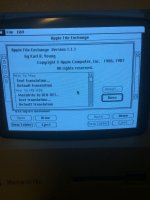 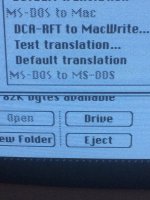 | |
Posted by: MacintoshMan1999 on 2018-10-02 18:58:44My setup consists of a Macintosh Plus (Made in 1988) with 4MB of ram installed, a Kensington System Saver, internal & external 3.5" disk drives, the external Ehman hard drive case, A Quantum Grand Prix 2GB SCSI drive, ImageWriter II printer (not working), All of the manuals (including the IW And exrernal drive) Macintosh Utility's 1 & 2, Printing Tools, and other disks (when I get home ill list the rest) No, i'm not able to write disk images (I'd like to though).Here are the rest of my disks: 1. Macintosh System Tools (NW) 2. Macintosh Utility’s 1 & 2 (W) 3. Macintosh Printing Tools (W) 4. HyperCard and Stacks (W) 5. HyperCard Ideas (W) 6. HyperCard Help (NW) 7. Macintosh Plus Tour (W) 8. MS Flight Simulator (W) 9. MS Works (W) (Tour, Start Up, and Program) 10. 1.4MB floppy disks (7 blank, 3 formatted) Manuals: 1. Macintosh Quick Refrence Card 2. 3.5 Drive Owners Guide 3. HyperTalk, Beginners Guide: An Introduction To Scripting 4. HyperCard Users Guide 5. Macintosh Plus Owners Guide 6. Macintosh System Software Users Guide (V 6.0) 7. Macintosh Utilities Users Guide Thats is pretty much it, here are some pictures: 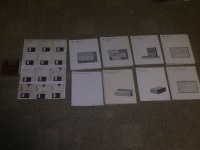 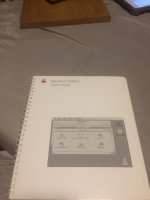 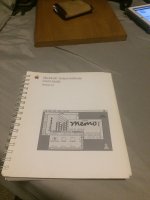 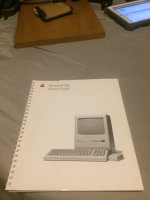 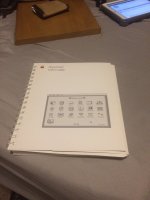 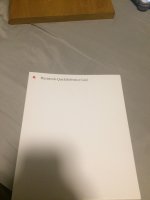 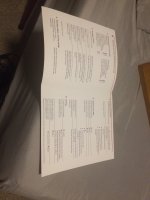 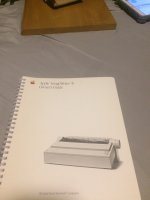 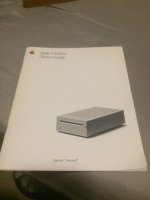 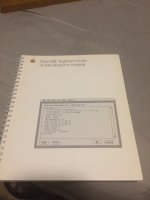 | |
Posted by: MacintoshMan1999 on 2018-10-02 19:07:56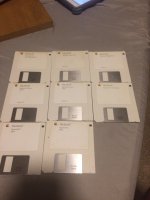 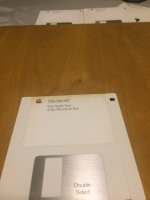 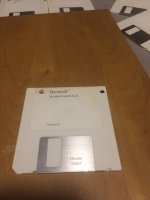 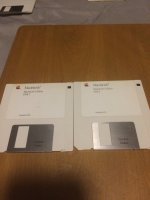 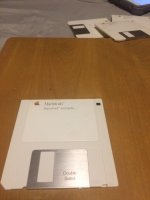 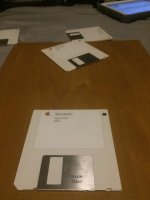 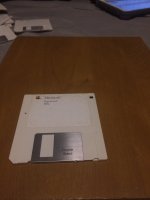 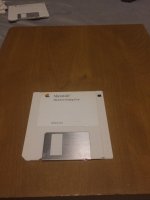 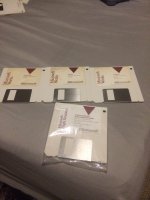 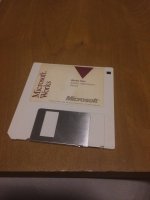 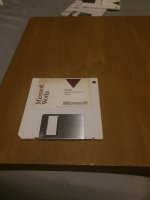 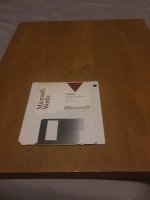 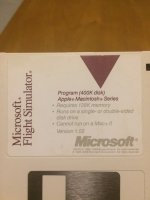 | |
| < 2 > |