68kMLA Classic Interface
This is a version of the 68kMLA forums for viewing on your favorite old mac. Visitors on modern platforms may prefer the main site.
| Click here to select a new forum. | |
| Macintosh Portable Sad Mac | |
| Posted by: glay78 on 2020-06-29 10:34:33 Hi I’ve recapped my M5120 and it has sad Mac now. It works previously before capping. I’ve check both battery and power adapter that’s working great so power shouldn’t be the issue. It chimes but has the error as shown. Also swapped out the ram but it’s the same. Any help? 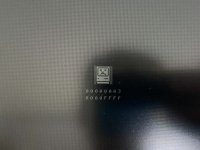 | |
| Posted by: desertrout on 2020-07-03 03:22:33 Is it the same error every reboot/reset? This link (https://udcf.gla.ac.uk/~gwm1h/Error_Codes/Sad_Mac_Codes.html) provides a breakdown 68k error codes, with some specifically for the Portable further down the page. If I'm reading it right, the error you show indicates a RAM test failure at Bank A. | |
Posted by: glay78 on 2020-07-03 08:32:50Is it the same error every reboot/reset? This link (https://udcf.gla.ac.uk/~gwm1h/Error_Codes/Sad_Mac_Codes.html) provides a breakdown 68k error codes, with some specifically for the Portable further down the page. If I'm reading it right, the error you show indicates a RAM test failure at Bank A.Yes it is consistent every boot/reset. its working all the way until it don’t one day. And I recapped and found this error. I don’t see any broken traces, how should I change the ram then? It’s soldered. | |
| Posted by: desertrout on 2020-07-04 00:57:50 Don't jump ahead just yet. There are a few things you could try first. If you have a RAM expansion card, verify it's in the correct connector (J11) - happens to everyone. You could try starting both with and then without the expansion card. After that, I'd examine the onboard RAM near where you were recapping to see if there is any residue or damage. I don't know offhand what banks are where, but start with a visual inspection. Also make sure to do a power manager reset if haven't been. | |
Posted by: glay78 on 2020-11-17 21:21:54Don't jump ahead just yet. There are a few things you could try first. If you have a RAM expansion card, verify it's in the correct connector (J11) - happens to everyone. You could try starting both with and then without the expansion card. After that, I'd examine the onboard RAM near where you were recapping to see if there is any residue or damage. I don't know offhand what banks are where, but start with a visual inspection.Yes ram is at the correct slot. Done a power reset and it’s still the same. | |
| Posted by: desertrout on 2020-11-18 12:14:58 Did you try without the expansion card as well? This thread might be helpful: | |
Posted by: glay78 on 2020-11-19 01:03:01Did you try without the expansion card as well?Tried. In fact I recapped 3 x M5120 all powered up with sad Mac. | |
| Posted by: at0z on 2020-11-19 22:27:28 Interesting - seems wildly un statistical that three suffered RAM Sad Macs after a recapping....did you do any board soak/clean as well ? In the absence of any other obvious path I'm going to pull the onboard RAM, test each chip and see if there are any duds. Nobody seems to be able to point to Bank B which I think the code references - they seem to be divided into an upper and lower (4x4 block) so I don't know if that makes the block nearest the hybrid chip bank B. But given there were replacement caps up near the I/O ports, that might well be bank B.... Like I said elsewhere, I'm only doing this because I failed my crochet practical.... | |
Posted by: glay78 on 2020-11-19 22:35:57Interesting - seems wildly un statistical that three suffered RAM Sad Macs after a recapping....did you do any board soak/clean as well ?I just soaked my number 1 board and cleaned again last night. Will try tonight, this board was working before recapping until few caps leaked and unable to power up. So I recapped it and got the ram error. The other 2 is untested, been in storage for years. | |
| Posted by: glay78 on 2020-11-20 02:19:22 It still powered up with the same error code and sad Mac unfortunately. | |
| Posted by: at0z on 2020-12-08 12:33:52 I came across someone on the FB 68K group who mentioned they ran into the same RAM Sad Mac code after recapping when before there was no issue. The only other common link appears to be the soaking/cleaning of the boards, which may have been a good idea in theory but in practice kicked us in the shins. Or higher. A friend of mine suggested that thermal expansion differences in the VIA plating and the PCB may have caused cracking and as a result some of the VIAs are not connecting properly and may be signalling a RAM error (or something else if the POST check actually was able to continue). While I have the onboard RAM pulled off the board, I'm going to be proactive and examine/fill any open VIA just because. I console myself with the thought that some restorers of old classic cars spend years on the tasks. I guess patience is a virtue as they are my machines and not someone else's expecting it back.... | |
Posted by: techknight on 2020-12-09 04:18:11I came across someone on the FB 68K group who mentioned they ran into the same RAM Sad Mac code after recapping when before there was no issue. The only other common link appears to be the soaking/cleaning of the boards, which may have been a good idea in theory but in practice kicked us in the shins. Or higher. The likelihood of this scenario being correct in the normal sense is remote. But anything is possible. If this were to be true, it would likely be due to vias that have already been damaged by the capacitor leakage to begin with, in which case, would have already been a ticking time bomb. I have soaked/washed so many different boards using a couple different methods, and even do it during manufacturing of boards, and never had an issue "except" in areas that were already damaged by leaking caps. | |
Posted by: glay78 on 2020-12-09 04:34:59The likelihood of this scenario being correct in the normal sense is remote. But anything is possible.How long should the board be soaked and with warm or cold water? | |
Posted by: techknight on 2020-12-09 04:40:21How long should the board be soaked and with warm or cold water? Well I typically just either use an ultrasonic cleaner for a few minutes, or use a dishwasher through its quick cycle. Nothing special. I don't "soak" boards in a bin or sink because it can cause corrosion due to long exposures to stagnant water. I typically only dip and scrub if I have to do washing by hand. The key is you need to immediately dip the board in IPA to displace any wayer and bake the board afterwords, DONT let it sit around. | |
Posted by: glay78 on 2020-12-09 04:41:48Well I typically just either use an ultrasonic cleaner for a few minutes, or use a dishwasher through its quick cycle. Nothing special.Oh any recommendations if I don’t have both? I did soap cleaning with toothbrush but it doesn’t work. | |
Posted by: techknight on 2020-12-09 04:47:02Oh any recommendations if I don’t have both? I did soap cleaning with toothbrush but it doesn’t work. Not really? Haven't done it any other way. I will say this. if there was any damage caused, it has already been done and theres no reversing that through cleaning. I suppose at this point, its time to pull out the schematics, and then buzz out all the connections at all the RAM pads, back to other RAM connections, and GLU, etc.... just hunt around for a broken trace. If there are any to be found. | |
| Posted by: techknight on 2020-12-09 04:49:03 Also check the bus transceivers on the RAM side as well. make sure they are connected and good. | |
| Posted by: glay78 on 2020-12-09 05:04:09 Will try that. I’ve checked continuity for all the replaced caps and they all are ok. | |
| Posted by: techknight on 2020-12-09 05:40:08 Ok, then you can rule out replaced caps. Just need to find the break in the circuit path somewhere in the data bus to the RAM. (Assuming its not a bad transceiver or something) | |
| 1 > |