68kMLA Classic Interface
This is a version of the 68kMLA forums for viewing on your favorite old mac. Visitors on modern platforms may prefer the main site.
| Click here to select a new forum. | |
| How to unbox a NeXT Cube 25 years later | |
| Posted by: haplain on 2013-07-08 15:16:14 The title says it all 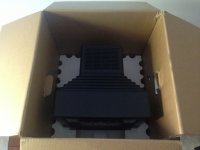 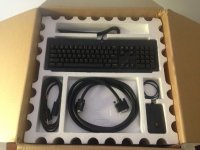 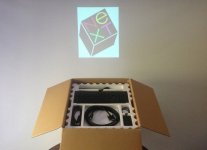  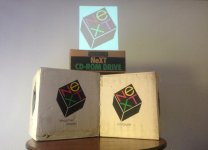 | |
| Posted by: haplain on 2013-07-08 15:18:40 More 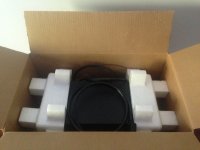  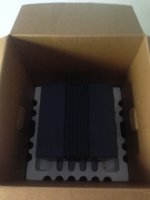 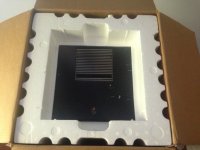 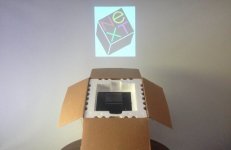 | |
| Posted by: haplain on 2013-07-08 15:19:39 More 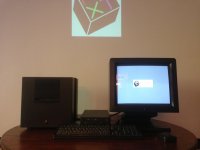 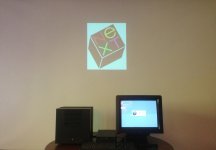 | |
| Posted by: jongleur on 2013-07-08 18:09:31 . . . and I shall open a big box of jealousy 😉 | |
| Posted by: Trash80toHP_Mini on 2013-07-08 20:57:25 MEH! No Laser Printer? [😱)] ]'> | |
| Posted by: uniserver on 2013-07-08 21:24:10 and i thought mcdermd was hard-core. | |
| Posted by: mcdermd on 2013-07-08 21:31:10 I'm hard core, I'm just not that rich 😉 | |
| Posted by: haplain on 2013-07-08 22:21:41 Mostly a cleaver trade, nothing too crazy | |
Posted by: Anonymous Freak on 2013-07-08 23:25:10MEH! No Laser Printer? [😱)] ]'>I have the laser printer, but I didn't get any boxes. So haplain wins. (Also, mine's a slab, not a cube. Specifically a NeXTstation Turbo.) | |
| Posted by: mcdermd on 2013-07-09 00:33:49 We're twins! | |
Posted by: Gorgonops on 2013-07-09 12:20:34Mostly a cleaver tradeHuh. I had no idea that the Beav was into that sort of thing. | |
Posted by: uniserver on 2013-07-09 13:04:36Mostly a cleaver trade, nothing too crazyhttp://en.wikipedia.org/wiki/Cleaver .jpg.8816aa11ec5b4b575ab917838685e35f.jpg) lol | |
| Posted by: uniserver on 2013-07-09 13:05:44 When HAP does his craigslist transactions, He means business !!! 🙂 | |
| Posted by: haplain on 2013-07-09 14:54:53 Having some boot issues right now. It starts but doesn't recognize the hard drive. It tries to load from the internal CD drive but takes FOREVER so I don't think it's working in the sense there's a MOBO issue. The CD-Drive and HD spin up so I know it's something silly I have EVERY version of NeXT and NeXT step on disks and CD-ROM so whatever OS I install once I get her working. I just send the board out for a recap (an extra board) and think it's having a keyboard input issue. The fact I cannot use the COMMAND buttons on startup to force it into programmers mode lead me to think it just needs a servicing. I've seen an article discussing that issue and it seems to be a simple fix. Thanks Uniserver! The fact it boots, loads, HD seems to spin, CD-Drive takes a disc leads me to believe it's something silly. Good thing I've got 2 mobo's. Anyone have any suggestions? 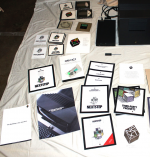 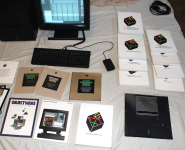 | |
| Posted by: haplain on 2013-07-09 15:59:11 I have 2x 68040 25Mhz boards. They both have the aluminum caps. They didn't appear to be bad but what do I know. Obviously something isn't working and some is so a recaps a great place to start. I figure worst case I'll reach out to rob at blackhole and get a working board but really want the original one to work. I'll probably get a laser printer in box for keepsake too ;-) why not right | |
| Posted by: olePigeon on 2013-07-09 16:55:05 I sold my color slab last year. Had a brand new laser printer that I never used. | |
| Posted by: firebottle on 2013-07-09 17:22:03 Did you try using a SCSI terminator? I've got one on my Cube's external SCSI port (mini 50 pin). | |
| Posted by: CelGen on 2013-07-09 17:58:43 That I recall, both NeXTSTEP 2 and 3 will not directly boot off the CD unlike NeXTSTEP 1 did on MO. You need to bootstrap the system with the included boot floppy which according to your dual MO bezel you do not have. Neither do you have a floppy drive (and NO they are not Apple's floppy drives). There are hacks however to dump the CD to a hard drive and then install to the same drive. Go ask the forum at nextcomputers.org for additional info on this. Also, are you trying COMMAND + ~ to get to the PROM? | |
Posted by: haplain on 2013-07-09 18:24:16That I recall, both NeXTSTEP 2 and 3 will not directly boot off the CD unlike NeXTSTEP 1 did on MO.according to your dual MO bezel you do not have. Neither do you have a floppy drive (and NO they are not Apple's floppy drives).Sorry to disappoint but I said I had EVERYTHING 🙂 I'll try that little trick and thanks for the suggestion 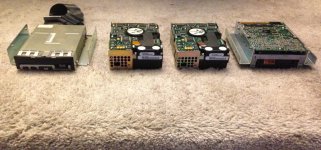 | |
| 1 > |